
There's a moment in every trader's development where the training-wheels app stops being an asset and starts being a cage. You want to buy a stock in London. Your app doesn't offer it. You want to route your own order instead of selling your flow to a market maker. Your app doesn't let you. You want a margin loan that doesn't quietly bleed 12% a year. Your app charges exactly that. You want to attach a stop and a target to your entry as one package so discipline is enforced by the software instead of by your willpower at 9:47 a.m. Your app has a single green "Buy" button and a lot of confetti.
That moment is when people find Interactive Brokers.
IBKR is not the friendliest broker. It is arguably the most capable one available to a retail human being, and at Hollow Point Trading we care about capability, because the job is executing a plan cleanly — macro to sector to stock, defined risk, 1:3 reward-to-risk minimum, discipline over prediction. A great broker doesn't make you a great trader, but a bad broker can absolutely cap how good you're allowed to become. IBKR removes that ceiling.
This is the definitive HPT walkthrough: what IBKR is, how to open and fund it, how to actually place a trade, how the order engine turns your risk plan into machine-enforced structure, what every fee really costs you in dollars, and how to survive the learning curve that scares most people off. Everything here was verified against IBKR's current published materials — but IBKR ships changes constantly, so where I flag "verify the current screen," go verify it. Numbers move. The logic underneath them doesn't.
What It Is and Who It's Best For
Interactive Brokers is a publicly traded (Nasdaq: IBKR), heavily capitalized global brokerage that has been serving professional traders since the 1970s and opened its doors to retail clients over the last couple of decades. The pitch in one sentence: one account, from one login, that trades stocks, options, futures, forex, bonds, funds, metals, and more across 150-plus market centers in 34 countries — at the lowest all-in costs in the retail business.
It is not a lifestyle app. It won't gamify your trading or send confetti when you buy. It's an institution that happens to let individuals in the door, and everything about it — the density, the jargon, the settings-heavy setup — reflects that. The mental shift that makes IBKR click is this: you are not the customer being entertained; you are the operator being equipped. The tool assumes you know what you want and gets out of the way. That assumption is uncomfortable for a beginner and liberating for anyone who has outgrown a toy.
Who it's genuinely best for:
- Active traders who care about execution quality and low margin rates, because at volume those two line items dwarf everything else.
- Options and multi-leg traders who want a real strategy builder, a genuine combo engine, and tight package fills instead of legging in one contract at a time.
- Global investors who want to buy Tokyo, London, Hong Kong, and Toronto without a specialty broker and without a 2% currency skim on every trade.
- Anyone using leverage, because IBKR's margin rates are the lowest widely available and the difference compounds into real money fast.
- Systematic traders who want API access (TWS API, FIX, the Web API) to automate execution, data, and risk.
- Anyone who intends to still be trading in ten years and doesn't want to migrate accounts, re-learn a platform, and re-file cost basis when they eventually outgrow something simpler.
Who should probably wait: a complete beginner whose only goal is buying an S&P 500 index fund once a month and never looking at it. IBKR can do that beautifully and cheaply, but a simpler app will feel gentler and nothing is lost by starting there. That said — if you intend to grow into a serious trader, learning IBKR early means you never have to migrate later, never have to relearn an order ticket mid-career, and never have to explain to a new platform why last year's wash sales look the way they do. We think that's worth the friction.
IBKR Lite vs IBKR Pro — the first real decision
Before you open anything, understand the two service tiers, because this choice colors everything downstream — routing, margin cost, interest on your idle cash, and which order types you can even reach.
IBKR Lite is the commission-free tier. Zero commissions on US-listed stocks and ETFs. In exchange, IBKR routes your Lite orders to market makers and accepts payment for order flow (PFOF) — the market maker pays IBKR for the right to fill your trade, and in return you may get a fill a fraction of a cent worse than the true best price available. Lite is currently available only to eligible retail clients in the US and Singapore. Its margin rates are higher (roughly the benchmark rate plus 2.5%), and it pays less interest on idle cash.
IBKR Pro is the professional tier. It charges a small commission but routes your orders through IBKR SmartRouting, which continuously hunts across exchanges, dark pools, and market makers for the best available price and can capture price improvement, and it takes no payment for order flow on its stock routing. Pro also gives you the lowest margin rates (benchmark plus roughly 1.5% at the first tier), better interest paid on your idle cash, and the full order-type and algo arsenal.
Here's the arithmetic that settles the argument for an active trader. Say you trade 400 shares of a $150 stock, so $60,000 of notional per trade, and you do that twice a day, 20 days a month — 40 trades, 16,000 shares monthly.
- On Pro Fixed, that's 16,000 × $0.005 = $80/month in commission, fully transparent, with SmartRouting hunting price improvement.
- On Pro Tiered at $0.0035/share it's roughly 16,000 × $0.0035 = $56 in base commission plus pass-through fees, often netting lower after rebates.
- On Lite, that's $0 commission — but PFOF routing that gives up, conservatively, half a cent per share of price quality on average would cost 16,000 × $0.005 = $80 in worse fills you never see itemized.
So the "free" tier and the "paid" tier can land in the same neighborhood on execution cost, except Pro's cost is visible, controllable, and shrinks with volume, while Lite's is invisible and structural. Now layer in margin: carry a $50,000 loan for a month and the ~1% rate gap between Pro and Lite is 50,000 × 1% ÷ 12 ≈ $41/month — every month, on top. The verdict writes itself: for a passive buy-and-hold investor placing occasional orders, Lite's simplicity is fine and the pennies don't matter. For anyone trading actively, using margin, or trading in size, Pro's better executions and dramatically lower margin costs almost always outweigh the commissions. Professionals overwhelmingly choose Pro. You can switch between the two (generally once per day, subject to IBKR's rules), so you're not locked in — but choose Pro if you're serious.
Opening and Funding an Account
The application is more thorough than a typical app because IBKR is a global regulated broker collecting genuine suitability and compliance data, not a growth-hacking startup optimizing signup conversion. Budget 20–30 minutes and have your documents ready. Account minimum to open is $0 — you can open with nothing, though you obviously need cash to trade, and certain features (like day-trading enough to trip the PDT rule) carry their own equity thresholds.
Step-by-step (exact screens change — verify the current flow):
- Go to interactivebrokers.com and click "Open Account." Choose the individual account (vs joint, IRA, trust, or entity). Most readers want an individual cash or margin account.
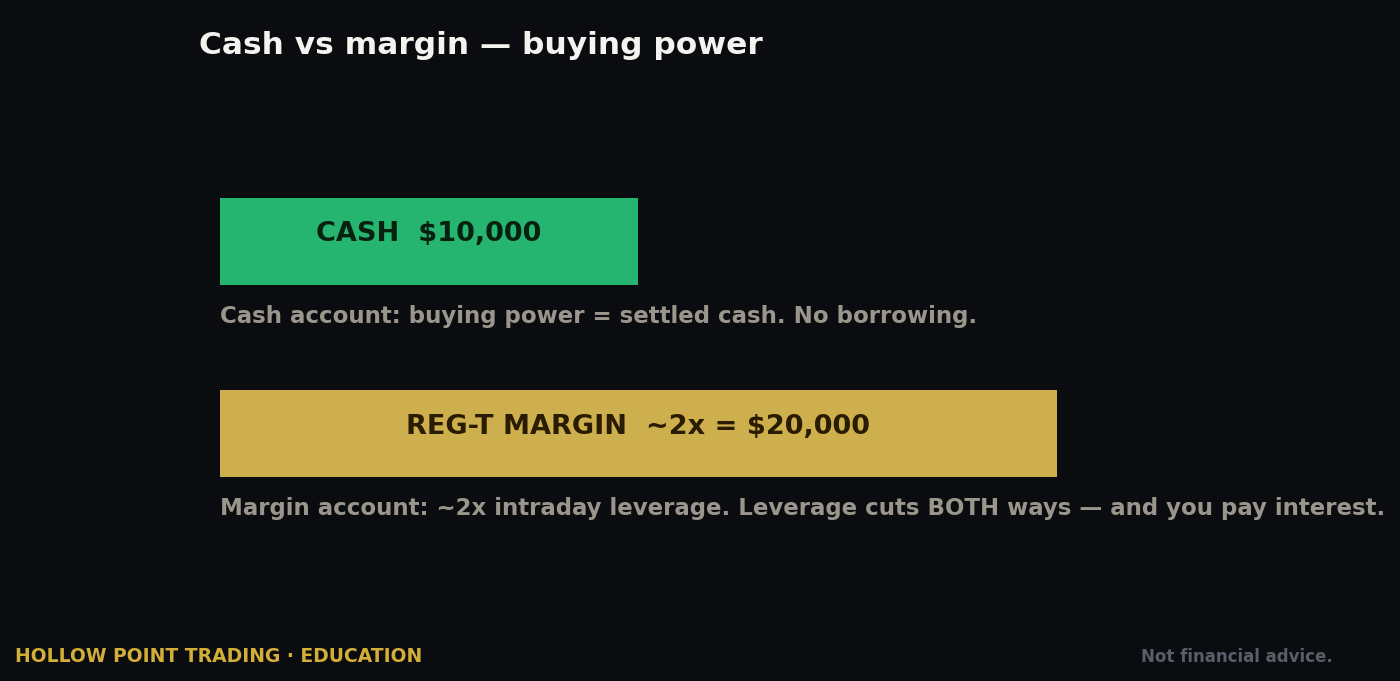
- Pick your account type: Cash or Margin. A cash account trades only settled funds and can't borrow or short. A Margin account (specifically RegT Margin) lets you borrow, short, and — importantly — trade with unsettled proceeds, which avoids the "good-faith violation" headaches cash accounts suffer when you buy and sell the same money before it settles. Most active traders want RegT Margin. There's also Portfolio Margin, a more capital-efficient risk-based margin system that requires a higher equity minimum (commonly cited around $110,000) and more experience — verify the current threshold; ignore it as a beginner.
- Choose IBKR Lite or IBKR Pro. Per the decision above. If you're on the fence and plan to trade actively, start on Pro.
- Enter personal and financial details. Identity (SSN/tax ID), employment, and a suitability questionnaire: net worth, liquid net worth, annual income, investment objectives, and — this matters — your trading experience per product. IBKR uses these answers to grant trading permissions. Answer honestly, but understand that claiming zero options experience can get you denied higher options levels. If you have real experience, say so; if you don't, don't manufacture it, because the permissions exist to keep you from strategies that can hurt you before you understand them.
- Select the trading permissions you want. Stocks, options, futures, forex, bonds, etc. You can add more later, but requesting stocks + options up front saves a step and avoids a second review cycle.
- Complete tax forms (W-9 for US persons, W-8BEN for non-US) and review disclosures. Non-US clients: the W-8BEN also governs treaty withholding rates on US dividends, so fill it correctly.
- Submit and verify identity. Upload ID and proof of address if prompted. Approval commonly lands within a day or two, sometimes same-day.
Funding and multi-currency
Once approved, fund through the Client Portal → Transfer & Pay → Transfer Funds (menu wording changes — verify). Methods include:
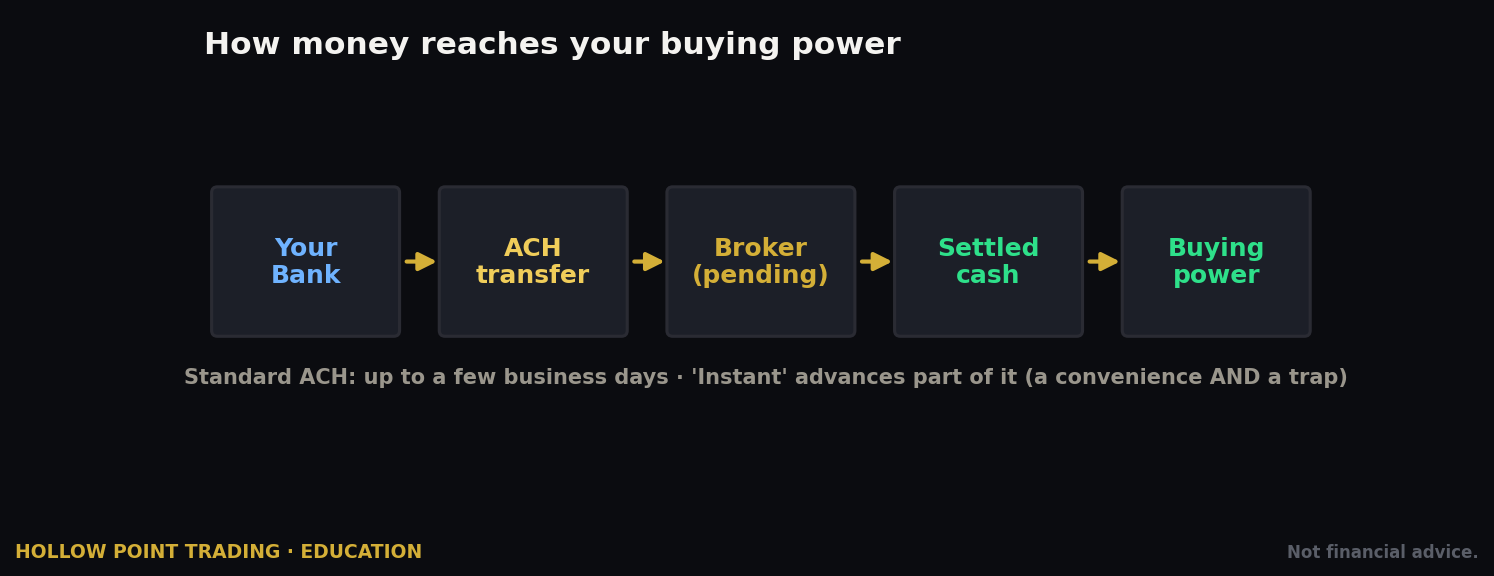
- ACH bank transfer — free, easy, and the default for US clients; typically limited to a set amount early on with a hold before funds are fully available for withdrawal (you can usually trade against them sooner).
- Wire transfer — fastest for large amounts and same-day capable; your bank may charge a fee on their end.
- Check and, for existing holdings, ACATS transfer to move an entire brokerage account in from another broker in-kind, so you don't have to sell, realize gains, and rebuy.
Here's an IBKR superpower most brokers can't match: multi-currency accounts. Your base currency (say USD) is what your statements report in, but you can hold balances in many currencies at once. When you buy a stock priced in euros, you have two choices, and understanding the difference saves real money.
Work the numbers. You want to buy €10,000 of a German stock and EUR/USD is 1.08.
- Path A — let IBKR auto-borrow the EUR. You keep your dollars, IBKR lends you €10,000 as a margin loan, and you now pay EUR margin interest and carry currency risk until you close or convert. Fine if deliberate, expensive and surprising if accidental.
- Path B — convert USD to EUR yourself on the IdealPro forex venue at institutional spreads. €10,000 costs you $10,800 plus a tiny commission (often a couple of dollars, subject to a minimum). Compare that to a typical retail broker's baked-in 1–3% FX markup: at 2%, converting $10,800 would quietly cost you about $216 in spread you never see itemized. IBKR's institutional conversion might cost you a few dollars. On a globe-trotting portfolio that does this dozens of times a year, the savings run into real money.
For anyone trading globally, this cheap-conversion feature alone justifies the account. Just remember the trade-off: convert deliberately, or you'll drift into the auto-borrow path and pay interest on currency you didn't mean to short.
A note on stock settlement and PDT: the US is on a T+1 settlement cycle now, and the pattern-day-trader landscape is in flux (more below) — always confirm current settlement and day-trading rules in your account before relying on them.
The Interface: Web, Desktop, and Mobile
IBKR doesn't have one app — it has a family, all connected to the same account. Understanding which is which saves enormous confusion, because half the "IBKR is impossible" reviews online come from someone opening the wrong platform for their skill level.
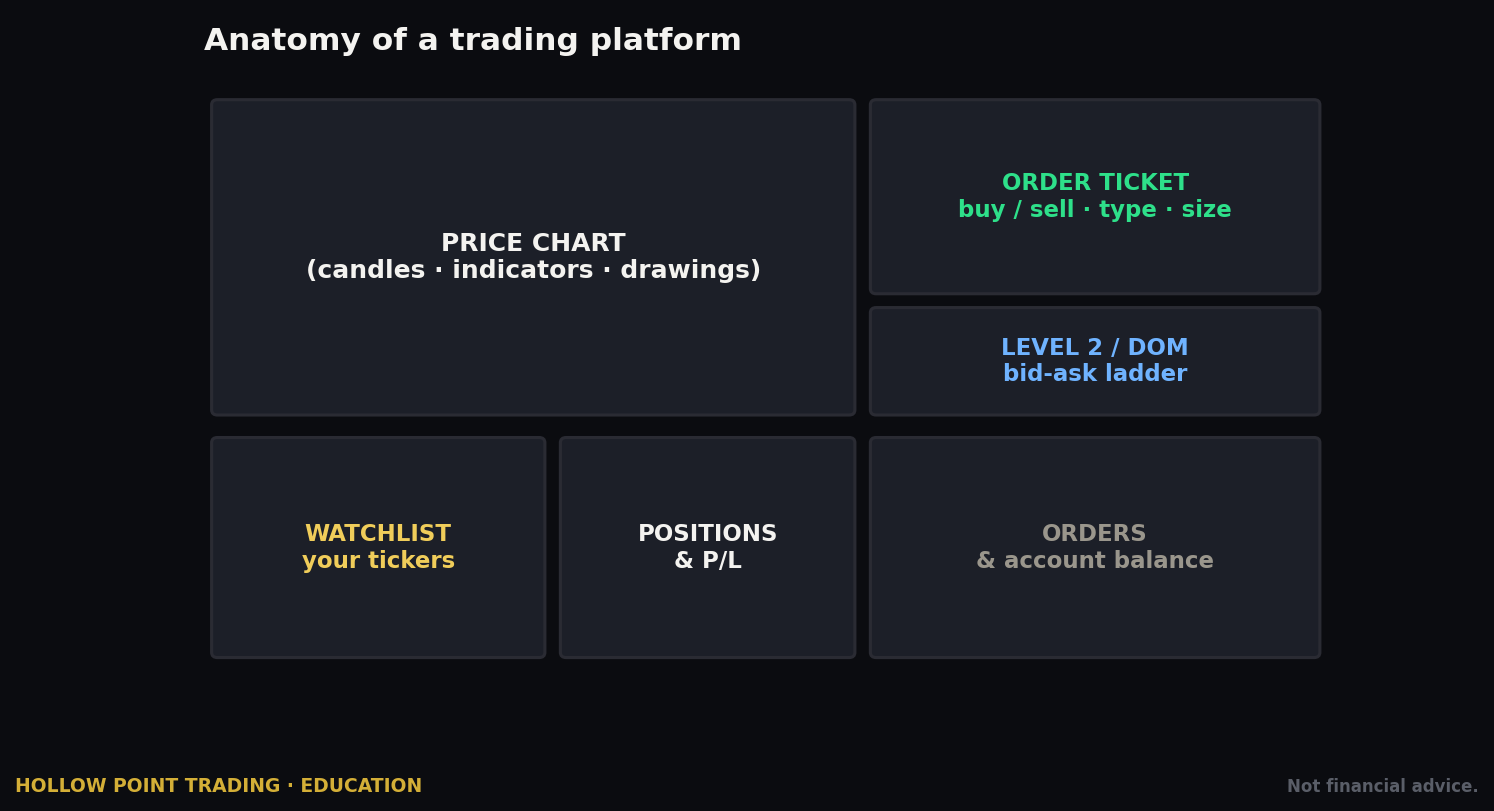
Client Portal (web) — your account's home base, in your browser. This is where you manage settings, request permissions, fund, run reports, check statements and tax documents, and place simple trades. Every account holder uses Client Portal for administration even if they trade elsewhere. Think of it as mission control, not the cockpit. If you only ever need to buy a share and check a balance, Client Portal is enough by itself.
IBKR Desktop — the modern, streamlined desktop platform. This is IBKR's newer answer to the complaint that its flagship is intimidating. Single-window layout, cleaner design, AI-assisted screeners and tools, options analysis, and a much gentler learning curve, while still offering serious functionality including bracket orders and multi-leg options. For most HPT readers coming from a simpler app, IBKR Desktop is the recommended starting point — it's powerful without drowning you, and almost everything in this guide can be done there.
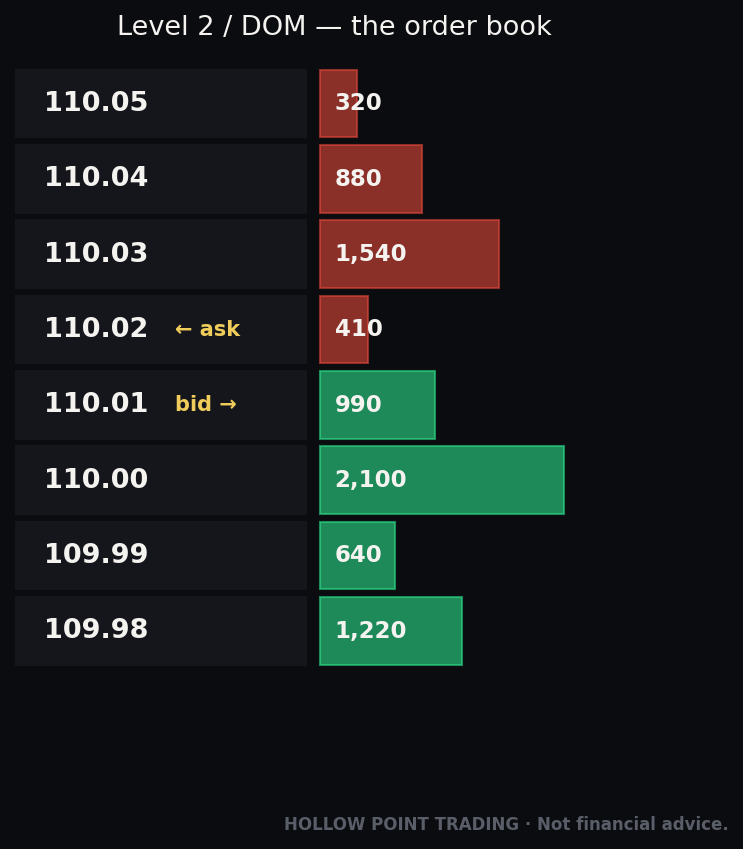
Trader Workstation (TWS) — the professional flagship, a downloadable Java-based platform that has been the pro standard for years. TWS is where the full firepower lives: 100-plus order types, multi-monitor layouts, the Mosaic and Classic interfaces, Risk Navigator (portfolio-wide risk and stress testing), the Option Strategy Lab, OptionTrader, BookTrader (one-click depth-of-market trading), ChartTrader, IB Algos, and full API connectivity for algorithmic trading. It looks like an aircraft cockpit because it is one. The learning curve is real, but this is the tool you grow into when Desktop's ceiling starts to feel low.
IBKR Mobile — the full-featured phone app for power users: real charts, options chains, most order types, alerts, and account management on the go. It is not a stripped-down toy; you can genuinely manage positions from it.
IBKR GlobalTrader — a simplified mobile app aimed at beginners: fast global stock buying with a stripped-down, friendly interface. Essentially IBKR Mobile with training wheels, useful for someone whose only need is buying and holding shares worldwide.
All of these connect to the same account and the same markets. You can install several and switch freely — but only one trading session can be active at a time, so if TWS says it can't log in because you're logged in on mobile, that's why. Log out of one to use the other. (You can, however, run a read-only session in some contexts — verify current behavior.)
HPT recommendation for a new IBKR user: use Client Portal for setup and admin, IBKR Desktop as your daily trading cockpit, and IBKR Mobile for monitoring away from the desk. Graduate to TWS when you specifically need something Desktop can't do — advanced algos, complex multi-leg option structures, BookTrader-style depth trading, Risk Navigator stress tests, or the API. Don't start on TWS. Starting on TWS is how people decide IBKR "isn't for them" in the first fifteen minutes.
Placing Your First Stock Trade, Step by Step
Let's do it on IBKR Desktop, the recommended starting cockpit. Exact button labels shift between versions — verify on your screen — but the workflow is stable.
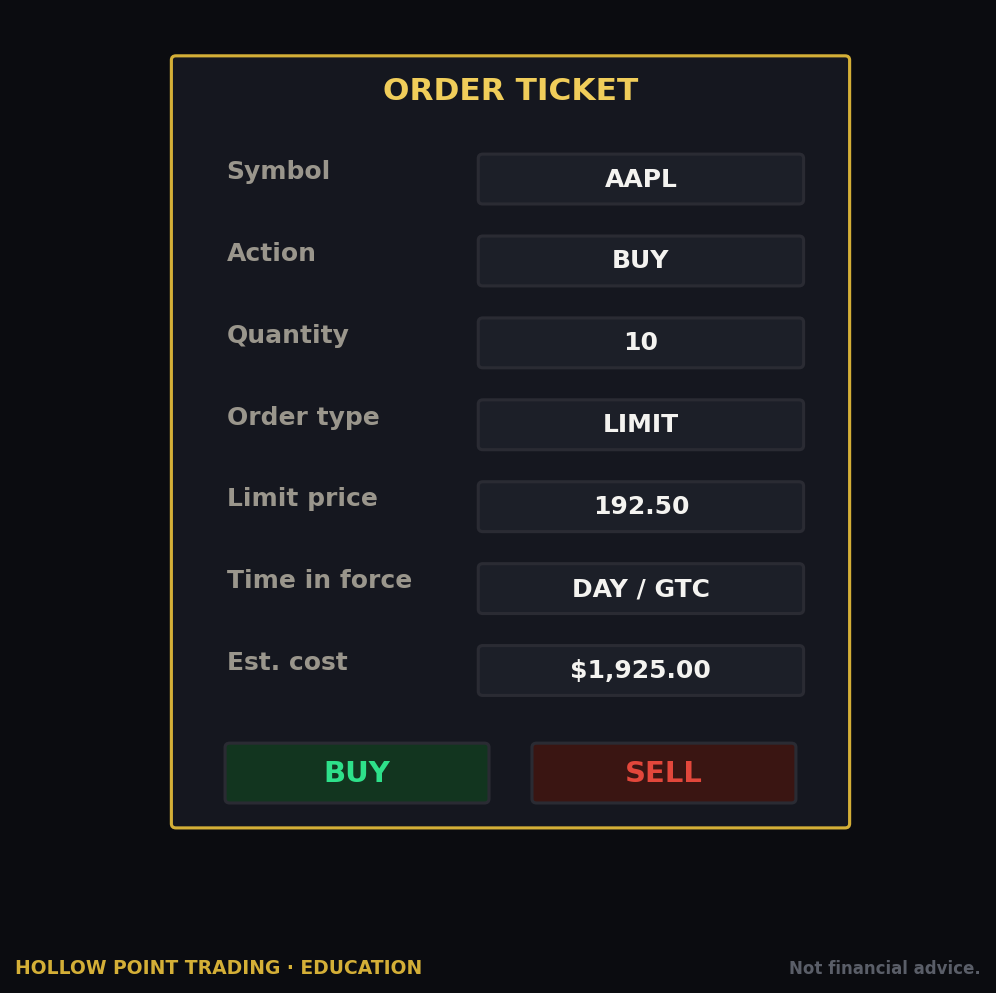
- Find the symbol. Use the search bar at the top and type your ticker, e.g.
AAPL. IBKR will show you the exact contract — pay attention, because IBKR lists the same ticker on multiple exchanges and in multiple currencies. For a US stock you want the US listing (SMART/NASDAQ). This precision is a feature, not a bug: it's why you can trade globally, and it's why you must read the contract line before clicking. - Open the order ticket. Click Buy (or the trade/ticket button) on the quote. A ticket appears with the contract pre-filled.
- Set the action: Buy or Sell.
- Set quantity. Enter shares. IBKR supports fractional shares on tens of thousands of eligible US, Canadian, and European stocks and ETFs — you can buy by dollar amount (e.g. $500 of AAPL) rather than whole shares, if you enable fractional trading in settings. Fractional is genuinely useful for position sizing to an exact dollar risk instead of rounding to whole shares.
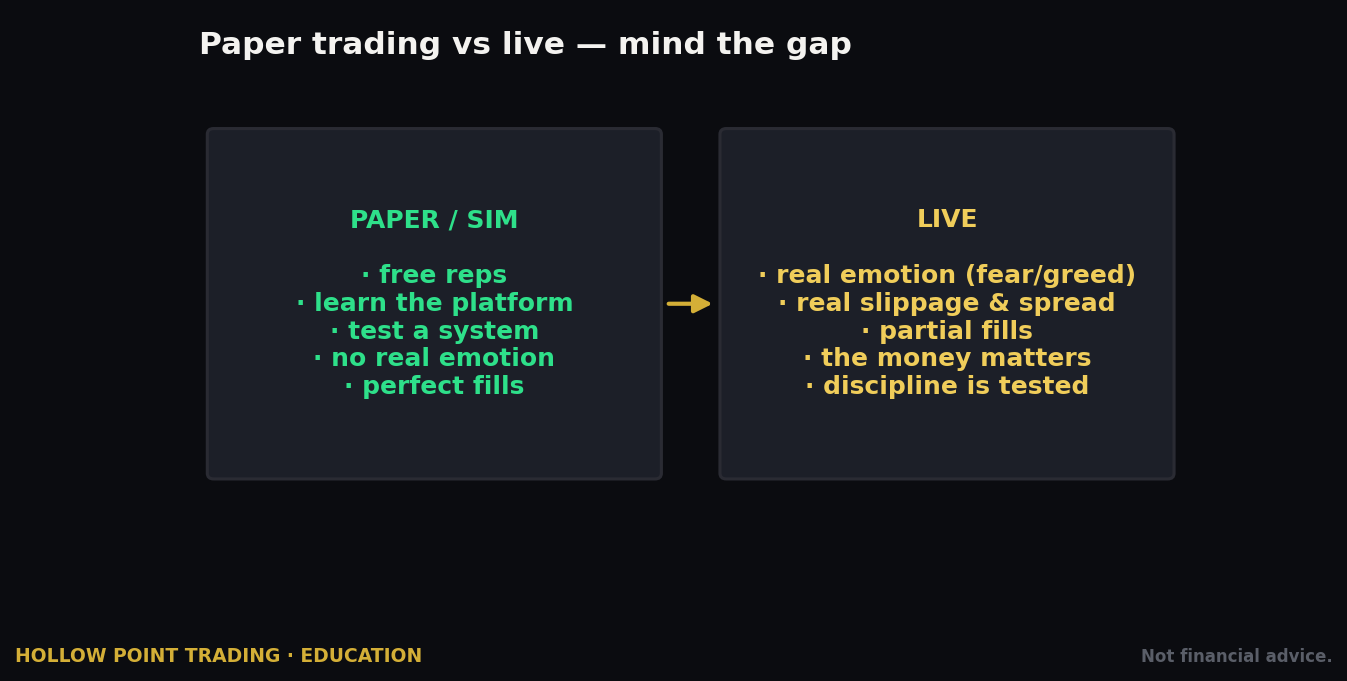
- Choose the order type. For your first trade, use a Limit order, not Market. A limit order says "fill me at this price or better," protecting you from bad fills. Set the limit at or near the current ask if you want a quick fill. (More on the full order-type menu below.)
- Set Time-in-Force (TIF): DAY (expires at close) or GTC (good-till-canceled). Start with DAY so a forgotten order doesn't fire days later.
- Check the routing. On Pro it defaults to SMART — leave it there; SMART finds the best venue. You can direct-route to a specific exchange, but you rarely should unless you're chasing a specific rebate or venue behavior.
- Preview the order. IBKR shows estimated commission and a margin/impact check. Read it. This preview is one of IBKR's best habit-builders — it tells you what the trade does to your buying power before you commit, which is exactly the discipline check most apps hide.
- Transmit. Click Transmit/Submit. Your order goes live. Watch it fill in the Orders/Activity panel; the position appears in your Portfolio.
The HPT way to place it: never send a naked entry. Before you transmit, you already know your stop (where the read is wrong) and your target (1:3 away, minimum). IBKR lets you attach both as one structure. Which brings us to the single most important thing in this entire guide.
The Bracket Order, Worked in Full
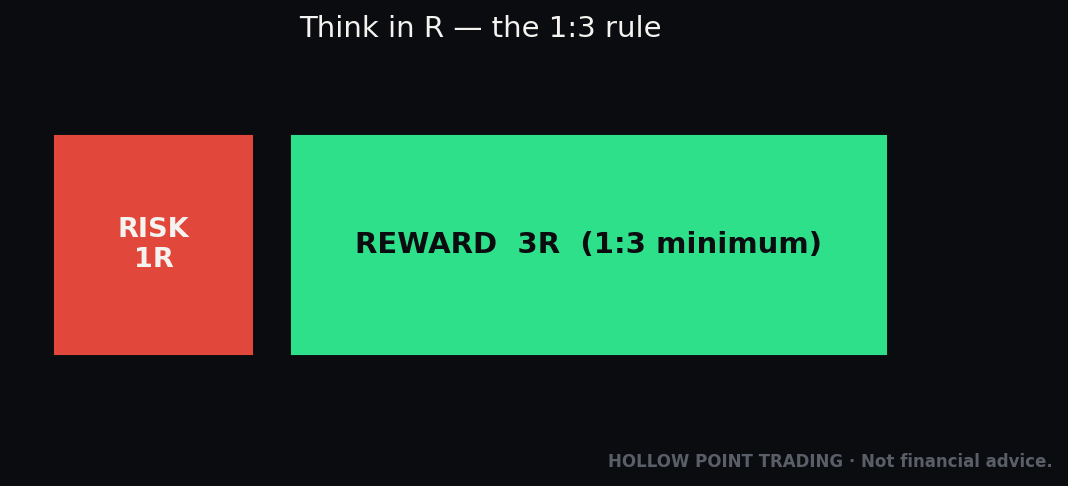
A bracket order is an entry with an attached profit-taking limit above and a protective stop below, linked so that when one exit fills, the other automatically cancels (this linkage is called OCA — one-cancels-all). This is the 1:3 trade expressed as machine-enforced structure. Discipline isn't a feeling you summon at the moment of maximum stress; it's an order you placed while calm. Let's build one with real numbers.
You've done the read on MSFT. It's holding a support shelf at $408, reclaiming the 20-EMA, and you want long exposure. Your read is wrong if it loses $404. Structure it:
- Entry: Buy 100 shares, Limit $410.00.
- Risk per share: $410.00 − $404.00 stop = $6.00. So 100 shares risks $600 total if stopped.
- Target at 1:3: you're risking $6, so you want $18 of upside → target $428.00. Reward on 100 shares = $1,800.
- Attach the bracket: parent Buy Limit at $410; child Sell Limit (profit) at $428; child Stop (protective) at $404. IBKR groups the two children in an OCA so the first to fill kills the other.
Now the trade runs itself. If MSFT rips to $428, your target fills, the stop cancels, you booked $1,800, and you never had to fight the urge to "let it run." If MSFT breaks $404, the stop becomes a market order, you're out for −$600, and you never had to talk yourself into "giving it room." Two outcomes, both pre-decided, both clean. Do this a hundred times with a win rate as low as 35% and the 1:3 geometry still nets you money: 35 wins × $1,800 = $63,000, minus 65 losses × $600 = $39,000, for +$24,000 before costs. That is the entire mathematical case for defined-risk trading, and IBKR hands you the machinery to enforce it for the price of learning one order ticket.
A refinement pros use: make the entry itself a Limit or an Adaptive order rather than a Market, so you don't overpay getting in and quietly ruin the 1:3 you just calculated. If your fill slips from $410 to $412, your risk is now $8 and your reward-to-risk drops from 3.0 to 2.0. Sloppy entries eat geometry. Fill discipline is risk discipline.
Options Approval, and Reading the Chain
Getting approved
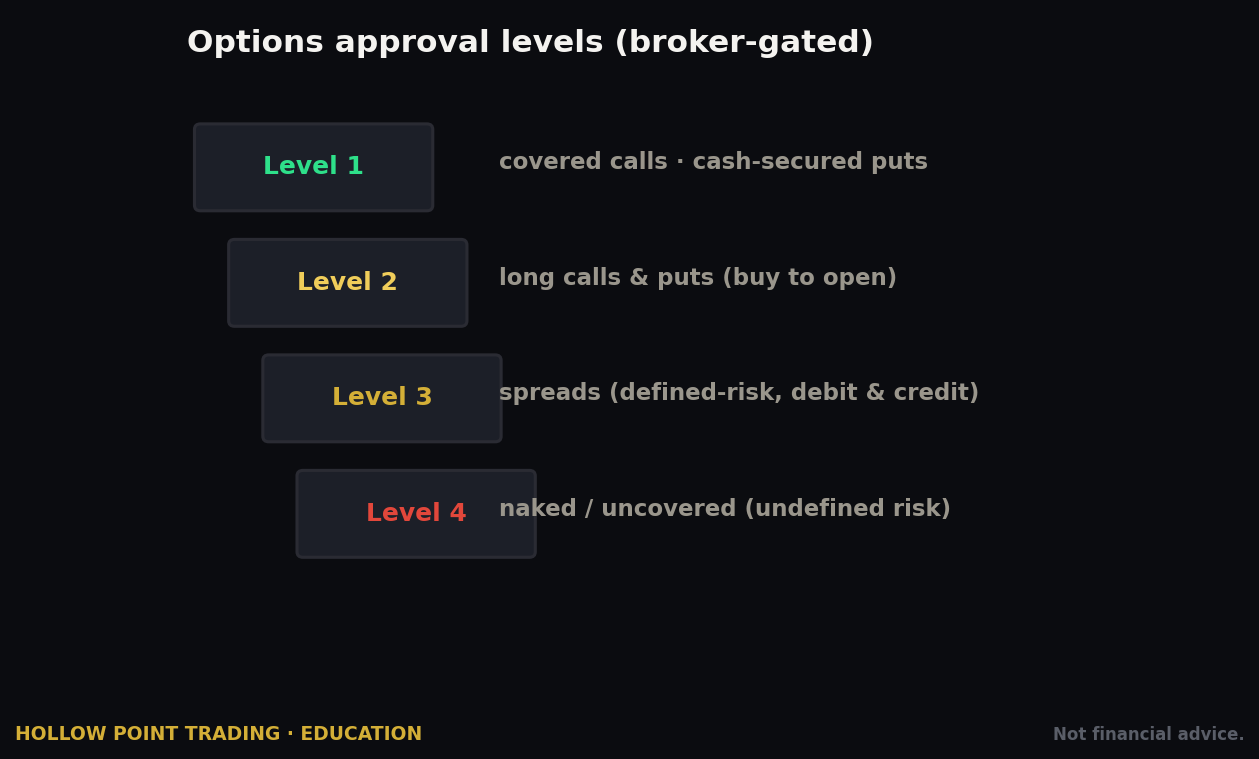
IBKR gates options behind four permission levels, requested in Client Portal → Settings → Account Settings → Trading Permissions (verify the current path). Each higher level requires more disclosed experience and financial capacity, and IBKR — by policy — will not publish the exact thresholds. Current levels:
- Level 1 — Covered calls (and typically cash-secured/covered basic strategies). Lowest risk; you own the stock or cash behind the position.
- Level 2 — Long options and defined-risk basics: long calls, long puts, long straddles/strangles, protective puts/calls. This is where most retail options traders live and where you should start.
- Level 3 — Limited-loss spreads: short verticals, butterflies (short, long, unbalanced), iron condors, and similar strategies with a defined maximum loss.
- Level 4 — All strategies, including uncovered/naked options with theoretically unlimited risk. This one requires the most experience and capital, for good reason.
Request the level that matches your real experience. If you're new to options, Level 2 gets you long calls/puts and protective structures — plenty to learn on for a year. Approval for higher levels can take a bit longer and may be declined if your stated experience doesn't support it.
Finding and reading the chain
In IBKR Desktop or TWS, pull up the underlying (e.g. SPY), then open the Option Chain (in TWS, right-click the symbol → Trading Tools → Option Chain, or use OptionTrader; in Desktop, open the Options tab on the quote — verify current wording).
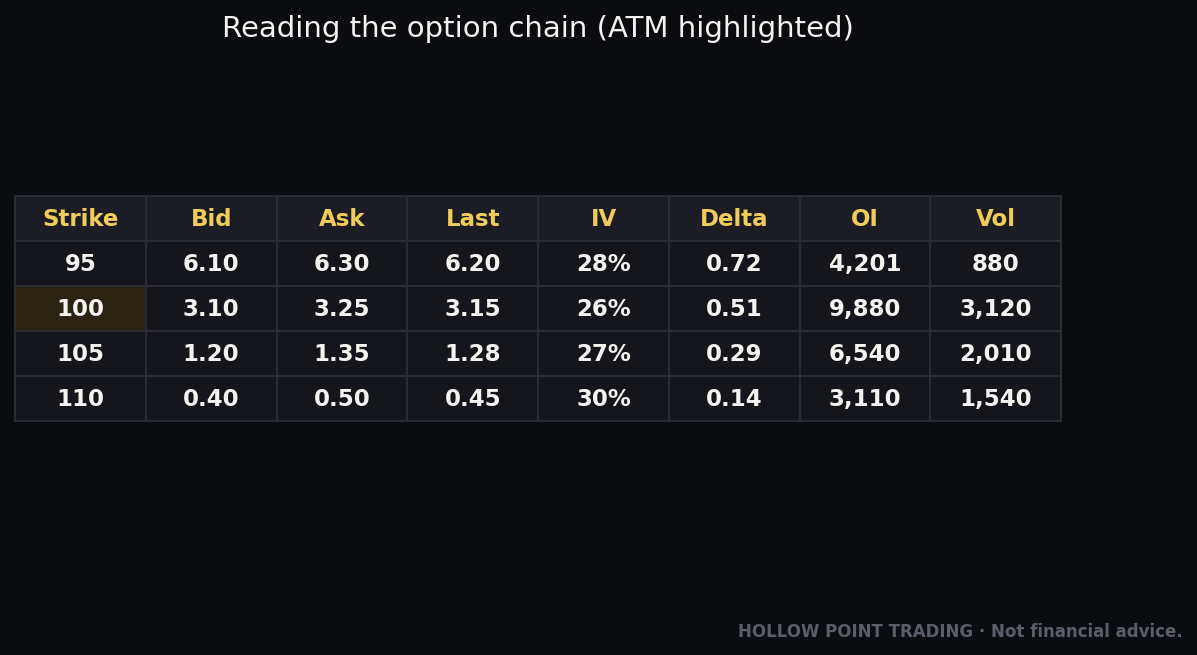
The chain is a grid. Down the middle runs the strike price. Calls are on one side, puts on the other, organized by expiration date (select the expiry from the tabs/dropdown). For each contract you'll see:
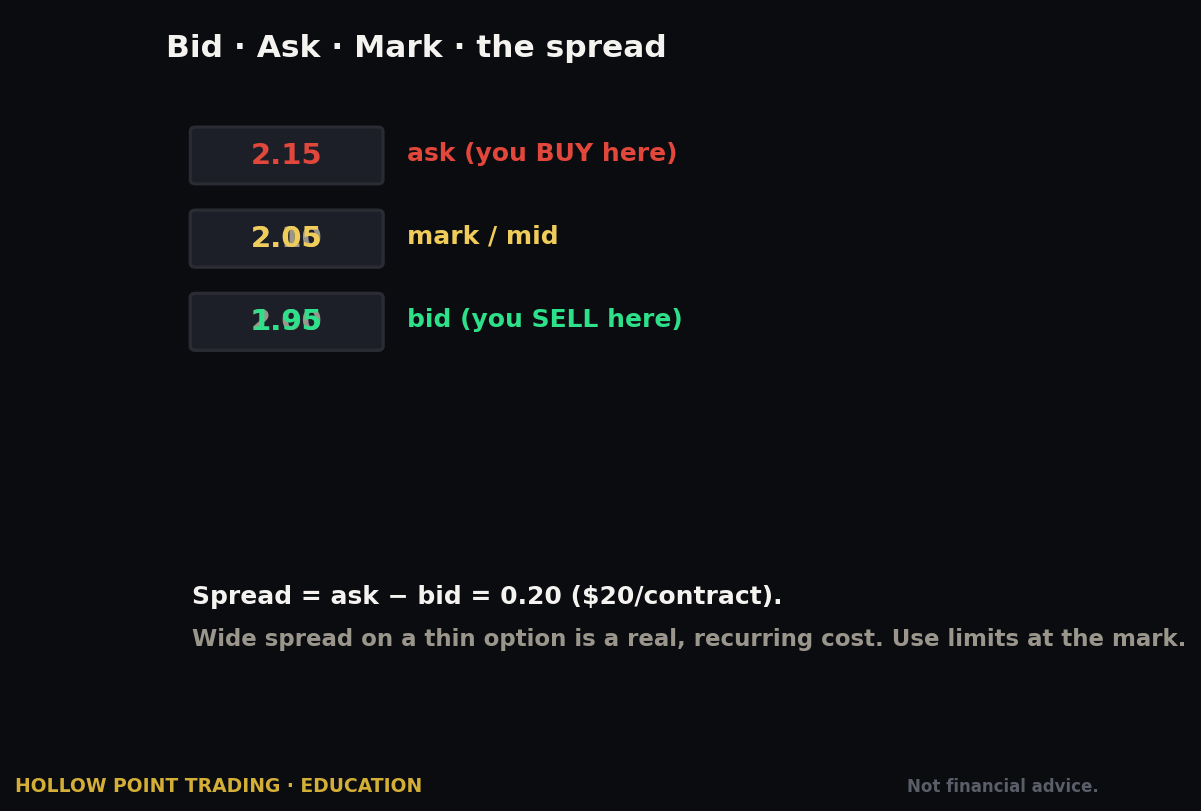
- Bid / Ask — what you can sell at / buy at. The gap is the spread; tighter is better and cheaper to trade. A dime-wide spread on a $2 option is a 5% round-trip tax before the trade even moves.
- Last / Volume / Open Interest — recent price, contracts traded today, and total open contracts (a proxy for liquidity). Thin open interest means wide spreads and hard exits.
- Implied Volatility (IV) — the market's expected volatility priced into that option. High IV = expensive options. Buying high-IV options before an event and watching IV collapse afterward ("IV crush") is how new traders lose money on a correct directional call.
- The Greeks — Delta (directional sensitivity, and a rough proxy for probability of finishing in-the-money), Gamma (how fast delta changes), Theta (daily time decay — the enemy of option buyers), and Vega (sensitivity to IV changes).
You can add or remove columns; IBKR lets you customize the chain heavily. Verify which columns are showing — a chain with the Greeks hidden will get you in trouble, because you'll buy a 0.15-delta lottery ticket thinking it's a coin flip.
Building a call vertical, worked in full
IBKR's real options strength is combos — multi-leg strategies sent as one order at a single net price. Let's build a defined-risk bullish trade on SPY and price it out.
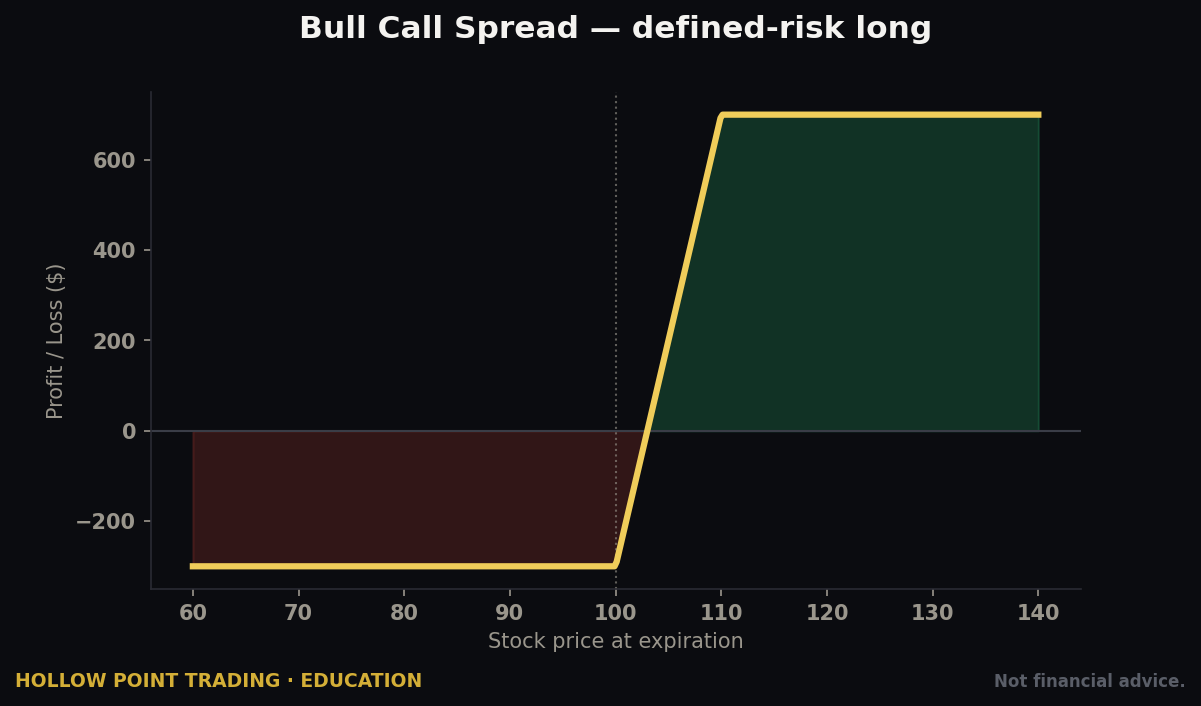
Say SPY is $560 and you're moderately bullish into month-end. A long call alone is exposed to theta and IV crush; a bull call vertical caps both your cost and your reward and is a cleaner defined-risk expression.
- Buy the 560 call for a $6.00 ask.
- Sell the 570 call for a $2.50 bid.
- Net debit = $6.00 − $2.50 = $3.50 per share × 100 = $350 paid, and that $350 is your maximum loss, full stop.
- Max profit = the $10 spread width (570 − 560) minus the $3.50 paid = $6.50 × 100 = $650.
- Reward-to-risk = $650 / $350 ≈ 1.86:1, and breakeven = 560 + 3.50 = $563.50.
In the chain, you select both legs and IBKR builds a combo ticket with a single net-debit price you control — put in $3.50 (or try $3.40 to get filled better) and the whole two-leg package fills together or not at all. You are never legging in one contract at a time and eating slippage on the second leg while the market moves against you. TWS goes further with the Option Strategy Lab and Strategy Builder, which let you describe a market view and get suggested structures, and OptionTrader for managing a full options book. Notice how the vertical caps your loss at the debit while shorting the higher call pays for part of the lower call and neutralizes some of the theta and vega drag — that's why pros prefer defined spreads to naked longs in most regimes.
The Order Ticket and Every Order Type
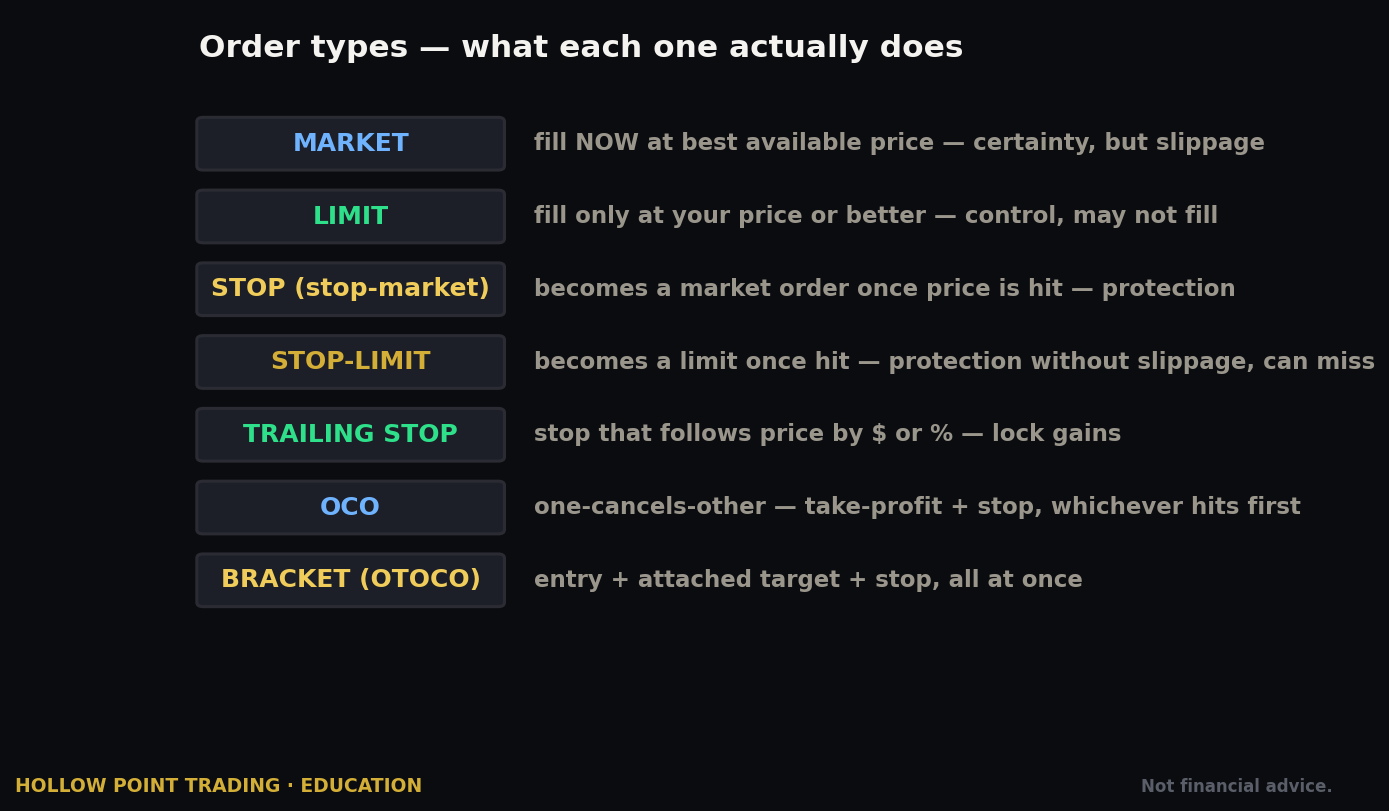
This is IBKR's crown jewel and the single biggest reason pros stay. TWS supports over 100 order types and algos. You will use maybe eight of them regularly, but having the rest available is what separates a professional platform from a toy. Here's the working set, from foundational to advanced.
The essentials:
- Market — fill immediately at the best available price. Fast, but no price protection. Use sparingly, and almost never on a wide spread or a thin name.
- Limit — fill at your price or better. Your default for entries.
- Stop (stop-market) — becomes a market order when price hits your stop level. Guarantees exit, not price — in a gap it can fill well past your stop.
- Stop-Limit — becomes a limit order at the stop. Controls price but risks not filling in a fast move, which can be worse than a bad fill if you're trying to get out of a collapse.
- Trailing Stop — a stop that follows price by a fixed amount or percentage, locking in gains as the trade runs. Excellent for letting winners work while protecting profit.
- Trailing Stop-Limit — the trailing version with a limit cap.
Risk-structure orders (the HPT favorites):
- Bracket Order — the entry-plus-target-plus-stop package we built above. Every HPT reader should learn this cold; it is the platform's best discipline feature.
- OCA (One-Cancels-All) — a group where filling one cancels the rest. The engine behind brackets, and useful for "whichever level breaks first" setups where you have two candidate entries and want only one.
- Attached/child orders — stops and targets that ride along with a parent entry automatically.
Conditional and timing orders:
- Conditional Order — triggers based on price, time, margin, volume, or even another instrument. "Buy NVDA if SPY trades above X." Powerful for intermarket and confirmation setups where you don't want to commit until the broader tape agrees.
- Market-on-Close / Limit-on-Close (MOC/LOC) — fill at or near the closing auction, where much of the day's real institutional volume prints.
- Market-on-Open / Limit-on-Open (MOO/LOO) — fill at the opening auction.
- Good-til-Date/Time, Fill-or-Kill, Immediate-or-Cancel, All-or-None — TIF and fill-condition modifiers for precise control.
- Hidden and Iceberg/Reserve — hide all or part of a large order's size from the book so you don't telegraph your intent and move the market against yourself.
The algos — IBKR's execution intelligence:
- Adaptive Algo — combines SmartRouting with a priority setting (Urgent / Normal / Patient) to trade between the bid and ask and, on average, get better fills than a plain market or limit order. It shines when spreads are wide, but helps even on one-tick spreads. If you're going to learn one algo, learn Adaptive — wrap your market and marketable-limit orders in it and quietly save money on every fill.
- Arrival Price — works the order toward the midpoint at time of submission, balancing market impact against timing risk; good for larger orders.
- Percentage of Volume (POV) — participates at a set percentage of market volume so you don't overwhelm the tape.
- VWAP / TWAP — work an order to match the volume- or time-weighted average price over a window, the standard way desks fill big positions without leaving a mark.
- Dark Ice — an enhanced iceberg that randomizes displayed size to hide your footprint.
- Accumulate/Distribute — slices a very large order into randomized pieces over time, a genuinely institutional tool available to a retail account.
You do not need all of this on day one. You need Limit, Bracket, Trailing Stop, and Adaptive. The rest is there when you grow into it — and the fact that it's there is the point. You will never hit a wall where the platform can't express your idea.
Order Structures for Different Market Regimes
The order types above aren't interchangeable — the right structure depends on what the market is actually doing. This is where reading the tape meets choosing the ticket.
In a clean trend, you want to stay in the winner and let it work. Enter on a Limit or Adaptive at a pullback level, set a wide protective stop below structure, and instead of a fixed target use a Trailing Stop that follows price by an amount tied to the average range — say 1.5× the recent ATR. In a strong uptrend that lets you ride $410 → $428 → $445 without capping yourself at the first target, while the trailing stop ratchets your worst case up behind you. The regime rewards patience, so your order structure should too.
In chop (a range), trends are traps and breakouts fail. Here the bracket earns its keep: enter near the range low on a Limit, target the range high, stop just beyond the low, and take the 1:3 mechanically without hoping for a breakout that won't come. Consider an OCA pair straddling the range — a buy-stop above resistance and a sell-stop below support — so you only engage when one side actually breaks, and the other cancels automatically. Chop punishes conviction and rewards structure.
In high volatility (an event, a spiking VIX, a gap-driven session), spreads widen, stops get run, and fills get ugly. Stop-market orders become dangerous because a fast move blows through them; but stop-limit orders risk not filling at all during a collapse — you have to choose your poison based on whether missing a fill or eating slippage hurts you more. Size down so a wider stop still risks the same dollars. Wrap entries in Adaptive (Patient) to avoid paying the fat spread, and lean on defined-risk options spreads instead of naked stock so your maximum loss is fixed no matter how violent the move. High vol is where undisciplined traders get liquidated and disciplined ones get paid — the difference is almost entirely in the order structure and the sizing.
Multi-Timeframe Order Construction
The HPT framework is timeframe-weighted: the higher timeframe sets the bias, the lower timeframe sets the trigger. IBKR's order engine lets you encode that hierarchy directly instead of babysitting the screen.
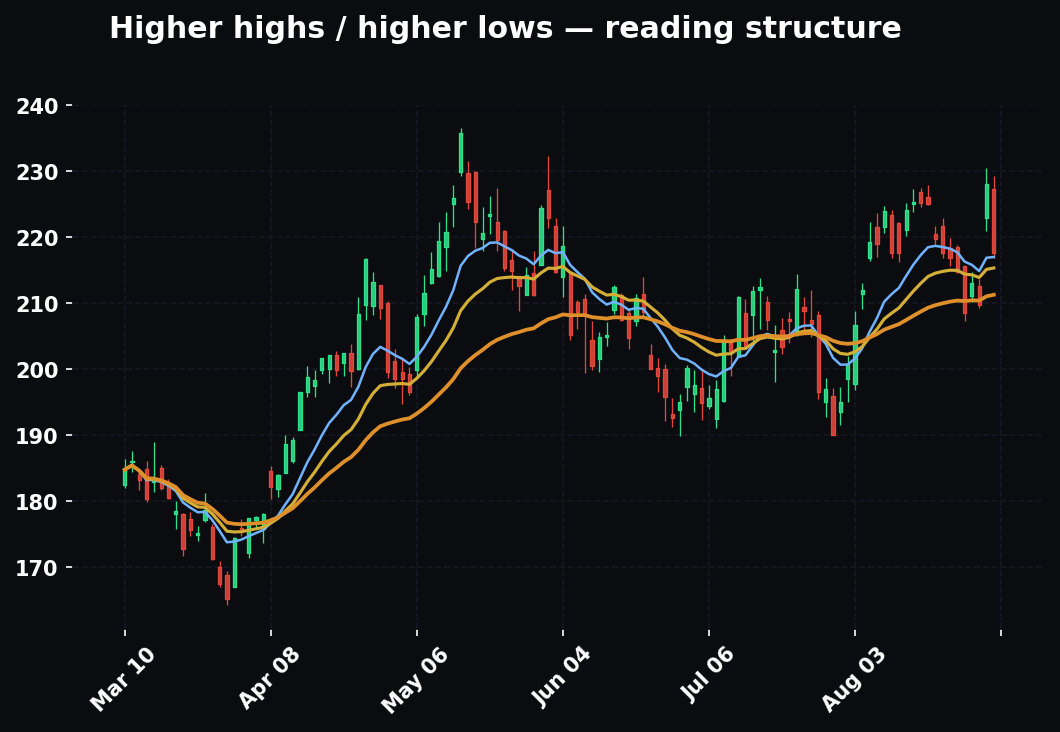
Say the daily and 4-hour on NQ-adjacent tech leader NVDA are constructive — higher highs, price over the rising 55-EMA, the bias is long. But you don't want to buy just anywhere; you want the 15-minute to confirm a reclaim. Build it in layers:
- Use a Conditional Order: "Submit my NVDA bracket only if NVDA 15-minute trades back above $178.50" (the reclaim level), so the higher-timeframe bias arms the trade and the lower-timeframe trigger fires it.
- The bracket itself is sized off the higher-timeframe stop — below the 4-hour swing at, say, $172 — because that's where the bias is wrong, not where a 5-minute wiggle shakes you out. Your stop lives on the timeframe that owns your thesis.
- Your target is drawn from the higher-timeframe structure too — the prior day high or a daily supply shelf at $196 — keeping the 1:3 honest against levels that actually matter.
This is the whole point of a deep order engine: your analysis lives across timeframes, so your orders should too. A shallow app forces you to collapse a multi-timeframe read into a single naked market order at whatever second you happen to be watching. IBKR lets the structure of the order mirror the structure of the thesis — high timeframe arms it, low timeframe triggers it, high timeframe defines where it's wrong.
Fees, Commissions, and the PFOF Reality
Let's be precise, because "low cost" is IBKR's whole brand and it mostly earns it.
IBKR Lite: $0 commission on US-listed stocks and ETFs. The trade-off is PFOF routing — your order may not get the absolute best price because IBKR is being paid by the market maker who fills it.
IBKR Pro: two commission schedules you choose from:
- Tiered — a low base rate (around $0.0035 per share at the entry tier) that drops as your monthly volume rises, plus pass-through exchange, regulatory, and clearing fees (and possible liquidity rebates). This usually produces the lowest all-in cost, especially when you add liquidity and collect rebates, but the total varies per trade and takes reading a fee breakdown to fully understand.
- Fixed — a single, predictable $0.005 per share, $1.00 minimum, capped at 1% of trade value, with most fees bundled in. Simpler to predict, slightly higher on average for high-volume traders.
Run it concretely. Buy 200 shares of a $50 stock ($10,000 notional):
- Fixed: 200 × $0.005 = $1.00, which also happens to be the minimum. Cost: $1.00.
- Tiered: 200 × $0.0035 = $0.70 base, plus small pass-through fees, but if you added liquidity with a resting limit you might collect a rebate that nets you below $0.70. Cost: roughly $0.35–$0.75 all-in in many cases.
Now buy just 50 shares of a $20 stock ($1,000 notional):
- Fixed: 50 × $0.005 = $0.25, but the $1.00 minimum applies → $1.00, which is 0.1% of the trade.
- Tiered: the base is tiny but minimums and pass-throughs still apply → typically well under $1.00.
The lesson: on small tickets the minimum dominates, so don't over-trade tiny size; on normal tickets the cost is trivially small either way. Options are priced per contract (tiered or fixed) with a minimum; futures, bonds, metals, and forex each have their own low schedules. Verify current numbers on IBKR's commissions page — they update these.
The PFOF reality, told straight: on Pro, IBKR does not take payment for order flow on its stock routing — SmartRouting works for your best execution, and IBKR makes its money on the commission, margin interest, and securities lending. On Lite, IBKR does accept PFOF, which is how "commission-free" gets paid for. This is the honest cost of free. For an occasional investor, the difference is pennies. For an active trader doing size, the execution quality on Pro can dwarf the commission you're "saving" on Lite. At HPT we favor paying the visible, small commission for the invisible, larger benefit of genuine best-execution routing.
Watch for the usual peripherals too: market-data subscriptions (real-time quotes for many exchanges cost a modest monthly fee unless waived by activity — verify), and inactivity fees, which IBKR eliminated for standard accounts (confirm current policy). There's no free lunch, but IBKR's lunch is cheaper than almost anyone's.
Margin, Account Types, and PDT
The margin story is IBKR's killer feature. Margin interest is priced as a spread over a benchmark that tracks the Fed Funds effective rate, and IBKR's spread is the lowest in the retail business. At current published rates, Pro's first tier sits around 5.12% (benchmark + ~1.5%) and Lite around 6.12% (benchmark + ~2.5%) — verify today's numbers, since they move with the benchmark.
Understand the blended tier structure, because it trips people up: the low headline rate applies only to the first slice of your loan. Borrow a lot and the first $100,000 is charged at Tier I, the next slice at the lower Tier II rate, and so on — a blend. Let's make that concrete. Suppose Tier I (first $100k) is 5.12% and Tier II (next chunk) is 4.62%, and you borrow $300,000:
- First $100,000 at 5.12% = $5,120/year.
- Next $200,000 at, say, 4.62% = $9,240/year.
- Total ≈ $14,360/year, which is a blended effective rate of about 4.79% — lower than the headline, because the cheaper tiers pull the average down as you borrow more.
Compare that to the 10–13% many retail brokers charge on small margin balances. On that same $300,000, a 12% broker would charge $36,000/year — about $21,600 more than IBKR, every year. That gap is why leveraged traders migrate to IBKR and never leave; on a working margin balance it can pay for itself many times over.
Account types recap: Cash (no borrowing, trade settled funds), RegT Margin (the standard active-trader account — borrow, short, use unsettled proceeds), and Portfolio Margin (risk-based, far more capital-efficient because it sets margin off the net risk of your whole book rather than position-by-position, higher equity minimum around $110k and more experience required — verify). Retirement (IRA) and entity accounts are available with their own rules.
Pattern Day Trader (PDT): historically, US margin accounts flagged as pattern day traders (four-plus day trades in five business days, where day trades exceed a set share of total trades) must maintain $25,000 in equity. Important 2026 note: the industry has been moving to phase out or modify the PDT rule, and IBKR's own materials reference a phase-out period during which affected accounts still must hold the $25,000 minimum. Because this is actively changing, do not take the old rule as gospel — check IBKR's current day-trading policy and your account's status before you day-trade near that threshold. If you're under $25k and the rule still binds you, plan trades so you don't get flagged: a flagged account below the minimum gets restricted to closing-only until you resolve it. One clean workaround while the rule persists: a cash account has no PDT rule (it has settlement constraints instead), and swing trades held overnight aren't day trades at all.
The HPT Confluence Stack on IBKR
A broker is one instrument in the kit, not the whole thing. The HPT edge comes from stacking four tools so each covers the others' blind spots, and IBKR plugs into all four.
Charting. IBKR's built-in charts (and TWS ChartTrader) are serviceable, but many HPT traders keep their read on a dedicated charting layout — the real TradingView desktop with the HPT indicator suite — and use IBKR purely as the execution venue. That's fine and normal: analyze where your tools live, execute where your fills are best. The screenshot is the chart; IBKR is the trigger. Just make sure the level you drew on the chart is the exact level you punch into the bracket — a stop that's "about there" is not a stop.
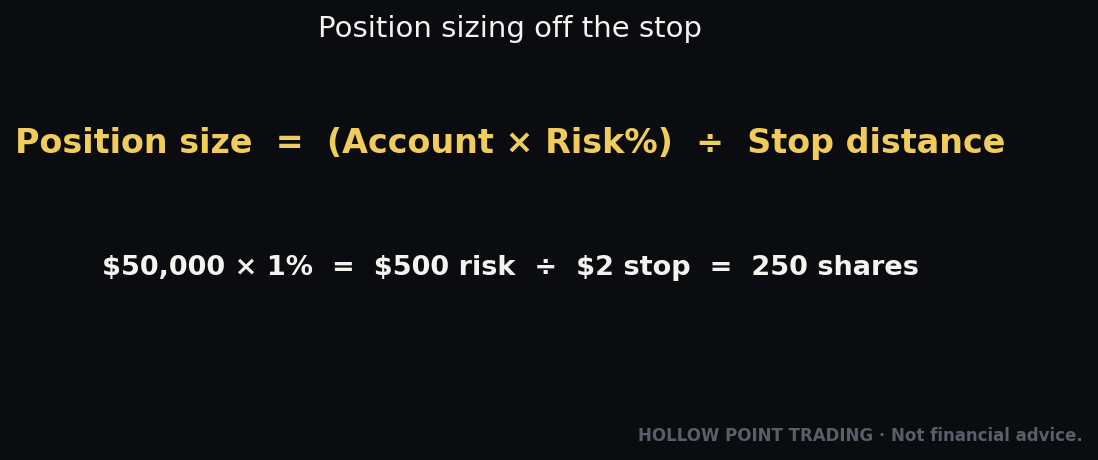
Position-size calculator. This is the bridge between the chart and the ticket, and it's non-negotiable. Before the order, you size off risk, not off a share count that "feels right." The formula: shares = (account risk dollars) ÷ (entry − stop). If your account is $50,000 and you risk 1% ($500) per trade, and your MSFT entry is $410 with a $404 stop ($6 risk/share), then shares = $500 ÷ $6 = 83 shares (round to 80). IBKR's order preview then confirms the buying-power and margin impact before you commit. Fractional shares let you size to the exact dollar instead of rounding. Every trade in this guide was sized this way; the bracket only works if the position behind it was sized first.
Journal. IBKR's Client Portal reports and Trade Confirmations — plus the Flex Query export, which dumps your fills, times, and P&L to CSV automatically — feed your journal without manual copying. Tag each trade with the setup, the timeframe that armed it, the regime, and whether you followed your stop. Over a hundred trades the journal tells you which setups actually pay and which you only think pay. The Flex Query is an underused superpower: it turns your raw execution data into something you can analyze in a spreadsheet or feed to a model.
Scanner. A scanner finds the candidates; the chart confirms them; the calculator sizes them; IBKR fills them. Whether you run IBKR's built-in mkt scanners and the market-data-driven screeners or an external scanner and hand the tickers to IBKR, the loop is the same: scan → read → size → structure → execute → journal. IBKR is the execution node in that loop, and its conditional orders even let the scanner's logic arm a trade automatically ("buy if this level breaks"). The four tools are one system, and the broker is where the plan becomes a position.
How Pros Use IBKR vs How Beginners Use It
The same platform serves two very different operators, and the gap between them is instructive.
A beginner opens the account on Lite because "free," starts on TWS because it's the famous one, panics at the density, sends market orders on whatever's moving, buys the wrong currency line of a foreign stock, watches a winner turn into a loser because there was no target and no stop, gets flagged PDT on a small account, and concludes "IBKR is too complicated." Every one of those is a self-inflicted wound, and every one is avoidable.
A pro opens on Pro for the routing and margin, starts on IBKR Desktop and keeps TWS for the heavy tools, sizes every position off a fixed-risk calculation before touching the ticket, sends entries as Adaptive limits, structures every trade as a bracket so the exit is decided before the entry fills, uses conditional orders to let higher-timeframe bias arm lower-timeframe triggers, converts currency deliberately on IdealPro, keeps idle cash earning interest, exports fills via Flex Query into a journal, and treats the platform's density as a menu of capabilities rather than a wall of noise. The pro isn't smarter about the market on any given trade — the pro has simply pre-decided everything the beginner decides in a panic. IBKR rewards the trader who arrives with a plan and punishes the one who arrives looking for a thrill. That's not a bug; that's the whole personality of the platform.
Strengths and Weaknesses vs Peers
Where IBKR wins decisively:
- Cost. Lowest margin rates, ultra-low commissions, cheap FX conversion, low fund and futures fees. At volume and with leverage, nothing retail is close.
- Global reach. 150+ markets, 34 countries, one account — nobody in retail matches the breadth.
- Execution. SmartRouting plus a deep bench of algos genuinely improves fills, and on Pro there's no PFOF conflict.
- Product depth. Stocks, options, futures, forex, bonds, funds, metals — all under one roof, one margin pool, one login.
- Order-type arsenal. 100+ types and algos; institutional tools like Risk Navigator and Option Strategy Lab available to a retail account.
- Automation. A mature API (TWS API, Web API, FIX) for systematic traders.
- Financial strength. A large, public, well-capitalized firm — real counterparty safety matters when markets break.
Where IBKR loses (be honest):
- Learning curve. TWS is genuinely intimidating; the settings-heavy design overwhelms newcomers. (IBKR Desktop softens this a lot, but the reputation persists.)
- Customer support. Historically not its strong suit — improving, but don't expect white-glove hand-holding at 2 a.m.
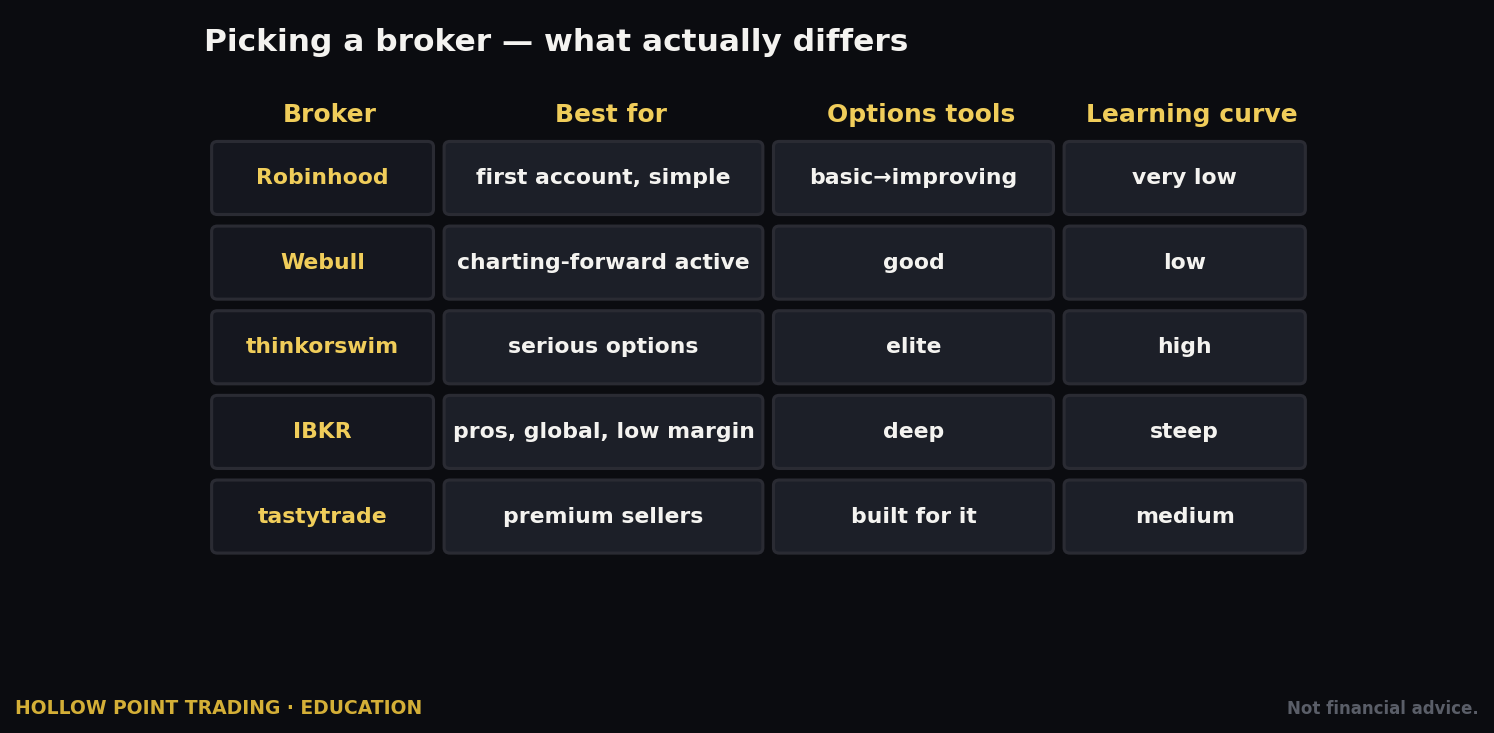
- Interface polish. Powerful, not pretty. The friendly-app crowd (Robinhood, Webull) feels slicker and more welcoming on day one.
- Data fees. Real-time market data often costs a small subscription, whereas some competitors bundle it free.
- No US crypto depth comparable to specialist exchanges (an offering exists but is narrower — verify current).
Against the flashy apps, IBKR trades approachability for capability. Against legacy full-service brokers, it trades hand-holding for cost. If you value capability and cost — and HPT does — the trade is worth it.
Common Mistakes on IBKR — and the Fix for Each
- Choosing the wrong contract. Same ticker, multiple exchanges/currencies. Buying the wrong listing (or the wrong currency line) is the classic IBKR rookie error. Fix: confirm the SMART/US listing and the currency on the contract line every single time before you open the ticket.
- Sending Market orders on wide spreads. You hand the spread and any slippage to whoever's on the other side. Fix: default to Limit, and wrap marketable orders in Adaptive to trade between the bid and ask.
- Accidental currency margin loans. Buy a foreign stock without holding that currency and IBKR auto-borrows it — you're now paying margin interest and carrying FX risk you didn't intend. Fix: convert the currency deliberately on IdealPro first, or knowingly accept the loan; either way, decide on purpose.
- Ignoring the order preview. That margin-impact and commission check before Transmit is a gift you're throwing away. Fix: read the preview every time; if the buying-power hit surprises you, cancel and re-size.
- Getting flagged PDT unaware. Four day trades in five days on a sub-$25k margin account can restrict you to closing-only. Fix: know the current rule and your day-trade count; use a cash account or hold overnight if the rule still binds you.
- Drowning in TWS. New users open the flagship, panic, and quit. Fix: start on IBKR Desktop, and only open TWS when you need a specific tool it uniquely has.
- Skipping market-data subscriptions, then wondering why quotes look stale or delayed and why fills feel off. Fix: subscribe to real-time data for the markets you actually trade — it's a few dollars and it's mandatory for serious execution.
- Naked entries with no stop. IBKR hands you brackets and OCA groups — the literal machinery of disciplined risk. Fix: never transmit an entry without its attached stop and target; make the bracket a reflex, not a decision.
- Sloppy entry fills that ruin the 1:3. A market entry that slips two ticks quietly turns a 3:1 into a 2:1. Fix: enter on Limit or Adaptive, and re-check that (target − entry) still equals 3× (entry − stop) after the fill.
- Leaving idle cash uninvested when IBKR pays real interest on qualifying balances — and, on the flip side, letting a margin loan sit when you have cash to pay it down. Fix: sweep intentions — earn on idle cash, kill unnecessary loans, and check your interest accrual monthly.
- Over-trading tiny tickets where the $1 minimum commission becomes a large percentage of a small position. Fix: size trades so commission is a rounding error, not a tax; consolidate small orders.
- Fighting the login lockout. Only one session at a time. Fix: log out of mobile before logging into Desktop; if a platform says it can't connect, that's usually why.
Frequently Asked Questions
Is my money safe at IBKR? IBKR is a large, publicly traded, well-capitalized broker, and US client securities carry standard SIPC protection with additional supplemental coverage; specifics and international protections vary by entity and account — verify the current coverage that applies to you. Counterparty strength is one of IBKR's genuine advantages.
Can I really open with $0? Yes, the minimum to open is $0. You need cash to trade, and certain features carry their own equity thresholds (like the PDT rule while it persists), but there's no account-opening minimum.
Should I pick Lite or Pro if I'm not sure? If you plan to trade actively or use margin at all, pick Pro — the routing and margin savings almost always outweigh the small commission. If you're a once-a-month index-fund buyer, Lite's simplicity is fine. You can switch, generally once per day.
Do I have to use TWS? No. Do your setup in Client Portal, trade on IBKR Desktop, monitor on IBKR Mobile, and only graduate to TWS when you need its advanced algos, complex options tools, or the API. Most of this guide is doable without ever opening TWS.
How do I keep the PDT rule from restricting me? While the rule still binds, either maintain $25,000 in a margin account, use a cash account (no PDT rule, but settlement constraints), or hold positions overnight so they aren't day trades. Verify the current phase-out status first.
What's the cheapest way to trade a stock priced in another currency? Convert your base currency to the target currency deliberately on IdealPro at institutional spreads, then buy the stock, rather than letting IBKR auto-borrow the currency as a margin loan.
Which order type should I learn first? The bracket order. It encodes entry, target, and stop as one OCA package and makes 1:3 discipline automatic. After that, learn Adaptive for better fills and the trailing stop for trend-riding.
Can IBKR automate my strategy? Yes — the TWS API, Web API, and FIX support systematic execution, data, and risk. It's a mature offering, which is why quant-minded retail traders choose IBKR.
Quick-Start Cheat-Sheet
Setup
- Open at interactivebrokers.com → Individual → RegT Margin → IBKR Pro (if serious) → request Stocks + Options Level 2.
- Fund via ACH (free) or wire (fast). Minimum to open: $0.
- Enable fractional trading in settings if you want dollar-based, exact-risk orders.
- Subscribe to real-time market data for the markets you trade.
Daily driver
- Admin & funding → Client Portal (web).
- Trading cockpit → IBKR Desktop (graduate to TWS for algos/complex options/API).
- On the go → IBKR Mobile.
- Only one session active at a time — log out to switch.
Sizing (do this before the ticket)
- Shares = risk dollars ÷ (entry − stop). $500 risk, $6 stop distance → ~83 shares.
- Read the order preview to confirm buying-power impact before Transmit.
Placing a trade (the HPT structure)
- Confirm the correct contract (SMART/US listing, right currency).
- Entry as a Limit (or wrap in Adaptive).
- Attach a Bracket: profit target 1:3 up, protective Stop one unit down (OCA links them).
- Route SMART, TIF DAY, read the preview, then Transmit.
Regime cheat
- Trend → trailing stop, ride it. Chop → bracket the range, take the 1:3. High vol → size down, Adaptive Patient, defined-risk spreads.
Order types worth knowing first
- Limit · Bracket · Trailing Stop · Adaptive (Urgent/Normal/Patient) · Stop-Limit · Conditional.
Costs to remember
- Lite: $0 stock commission, uses PFOF.
- Pro: Tiered (~$0.0035/sh) or Fixed ($0.005/sh, $1 min), no PFOF, SmartRouting.
- Margin: lowest available — Pro ~benchmark + 1.5%, blended lower as you borrow more.
Guardrails
- Watch PDT ($25k threshold — verify the current phase-out status).
- Don't auto-borrow foreign currency by accident — convert on IdealPro.
- Never send a naked entry — bracket it.
- Every UI path here can change — verify the current screen.
IBKR asks more of you than the friendly apps do, and gives more back. The density that scares beginners is the same density that lets you route your own orders, borrow at institutional rates, trade Tokyo before breakfast, size a position to the exact dollar of risk, and structure a defined-risk trade as cleanly as any desk on Wall Street. Learn it once and you never outgrow it — no migration, no relearning, no ceiling. That's the HPT calculus: pick the tool that rewards discipline, and then bring the discipline. The platform will enforce the plan you give it; your only job is to give it a good one.
Bound by rules, feared by trade.