
Most people meet Webull the same way: someone on a trading Discord posts a screenshot with a black background, a candlestick chart bristling with indicators, a Level 2 order book stacked down the side, and an options chain glowing green and red — and they say "wait, that's free?" Mostly, yes. Webull is what happens when a broker decides the chart is the product and the account is the afterthought. For an active technical trader, that's exactly backwards from Robinhood, and exactly right.
This guide walks the whole thing the Hollow Point way: top-down, no fluff, and built so you can actually use it Monday. We'll cover what Webull is and who it's for, how to open and fund it, how the desktop, web, and mobile layouts are wired, how to place your first stock trade, how to get options approval and read the chain, every order type on the platform, the real fee and payment-for-order-flow story, margin and the brand-new post-PDT day-trade rules, how to fold Webull's tooling into a multi-timeframe confluence process, how the pros use the same app completely differently from beginners, and how it stacks up against Robinhood for someone who lives on the tape. We'll do it with real numbers, real order tickets, and worked examples you can copy.
One standing note before we start, and it matters more with Webull than almost any broker: Webull redesigns its interface constantly. The desktop app is on 4.0, the mobile app reshuffles menus a few times a year, and account/margin rules changed in mid-2026. Every menu path below is the workflow — the logic of where a thing lives — not a promise about a pixel. When I say "tap the trade button," the button may have moved. The concept won't. Verify the current screen and the current fee schedule before you act.
What Webull Is and Who It's Best For
Webull is a US-registered, commission-free broker (Webull Financial LLC, a FINRA/SIPC member) that leads with professional-grade charting and data instead of a simplified one-tap interface. It offers stocks, ETFs, options, and futures — including micro futures — plus fractional shares, an IRA lineup, and a cash-management side. The whole thing runs across three synced surfaces: a mobile app, a browser platform, and a genuinely serious desktop application.
The pitch, in one line: Webull gives you a lot of the tooling a $2,000/month professional platform charges for — depth-of-book data, a replay/time-lapse mode, 60-plus indicators, multi-leg options tools, hotkey order entry — inside a free retail app. That's the strength and the trap. The tools reward a trader who knows what they're looking at and quietly overwhelm one who doesn't.
The three-surface architecture, and why it matters
Understand from the outset that Webull is not "an app." It is one account rendered through three different windows, each pitched at a different job. The desktop application is the cockpit — where you plan and execute. The web platform is the travel version — where you check in from a machine that isn't yours. The mobile app is the leash — where you monitor and manage positions you already planned. Everything syncs in real time: a watchlist you build on desktop appears on your phone within seconds; a bracket order you place on mobile shows up in the web platform's Orders tab. Once you internalize that these are three doors into one house, you stop relearning the platform every time you switch devices.
Who it's best for
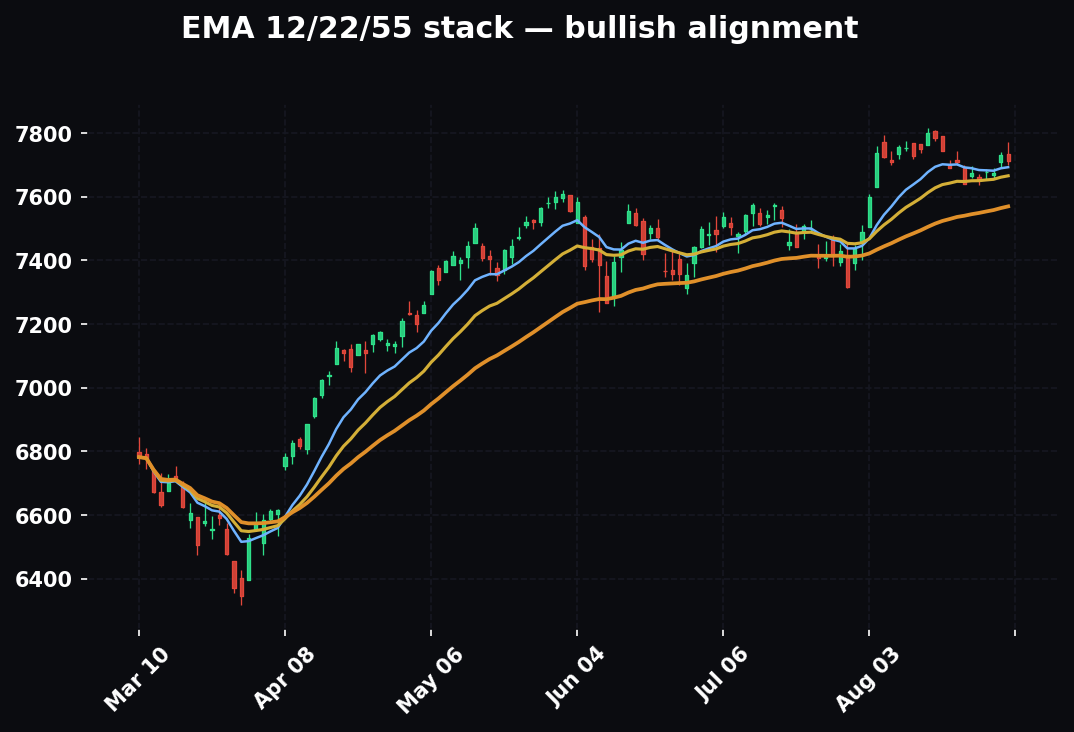
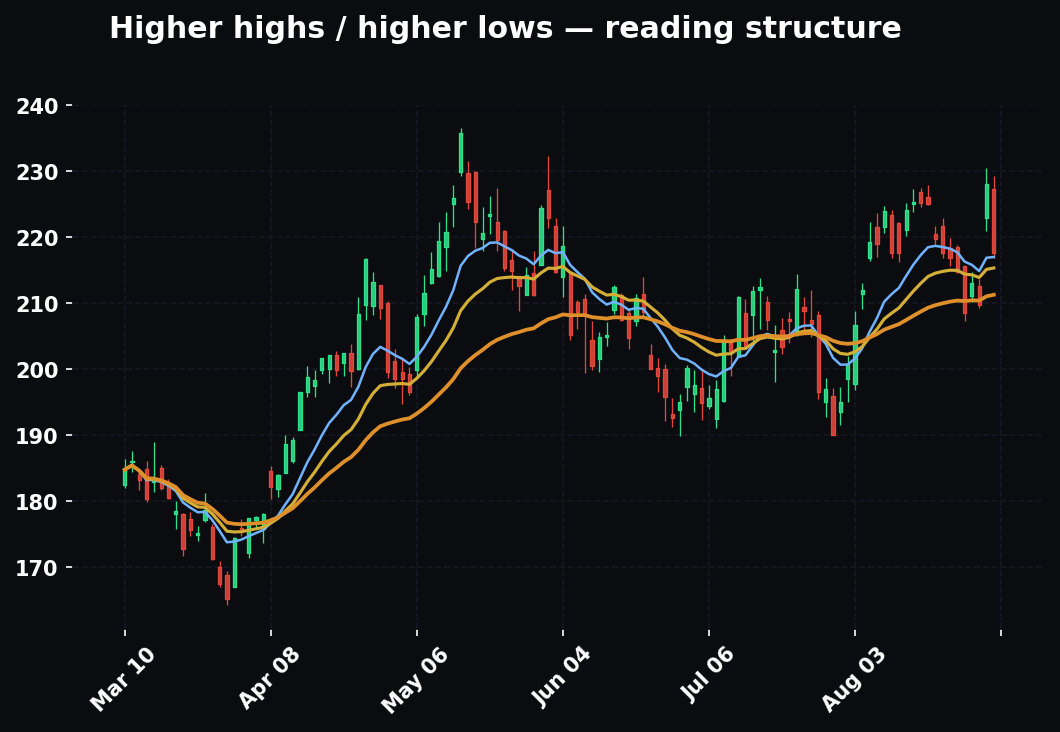
The active or technical trader. If you read structure, mark EMAs, watch the order book, and want to place bracket orders off a chart, Webull is built for you — independent reviewers in 2026 consistently rank it above Robinhood for exactly this profile, on the strength of its charting, its order-flow data, and its paper-trading simulator. The trader who benefits most from Webull is the one who already has a process and wants a wider windshield: someone marking higher highs and higher lows, stacking EMA 12/22/55, watching where volume clusters, and wanting to attach a stop and a target to an entry in one ticket. Webull hands that trader the whole toolbox for free.
Who it's not best for
The true set-it-and-forget-it investor who wants to buy an index fund and never look again. Webull can do that, but you're carrying a fighter jet's cockpit to go to the grocery store. That person is happier somewhere simpler — the density that thrills an active trader is friction for a buy-and-hold investor, and the constant stream of stats, alerts, and order-flow readouts is noise they'll never act on. There's no shame in it; it's a fit question, not a quality question.
The Hollow Point read: Webull is a tool for people who want to see the market, not just tap it. That aligns with how we trade — macro to sector to stock, structure and EMAs, confluence across timeframes. A platform that shows you the tape instead of hiding it is a platform that lets you build a real read.
Where Webull sits in the broker landscape
It helps to place Webull on a map. On one end sit the frictionless "buy a share in two taps" apps — Robinhood is the archetype — which optimize for simplicity and hide the machinery. On the far end sit the professional desktop platforms — thinkorswim, TradeStation, Interactive Brokers' Trader Workstation — which expose everything and assume competence. Webull deliberately lands in the middle-high band: nearly the tooling of the pro platforms, wrapped in an interface a motivated retail trader can learn in a weekend, at a price of zero commissions. That positioning is the entire strategic story. It's why the charting is serious, why Level 2 is a paid add-on rather than an afterthought, and why the futures and paper-trading features exist at all. Knowing where a platform is aiming tells you which of its features are load-bearing and which are marketing.
Opening and Funding an Account, Step by Step
Account opening is standard US brokerage KYC ("know your customer" — the identity checks every regulated broker must run). Expect it to take a few minutes to a day for approval.
Opening:
- Download or go to the platform. Get the mobile app, install the desktop app, or use the web platform. Any of the three can open an account; all three share one login.
- Register with email or phone, set a password.
- Provide personal information — legal name, address, date of birth, and Social Security number (required for tax reporting on any US brokerage).
- Answer the suitability questions — employment, income, net worth, investment experience, and objectives. Do not sleepwalk this section. Your answers here directly drive your margin and options approval later. Honest but complete — thin answers get you thin approvals.
- Choose your account type — individual cash account, individual margin account, or an IRA (traditional, Roth, or rollover). More on cash vs. margin in the margin section; the short version is that a margin account needs a $2,000 minimum to actually use margin, and it's the account most active traders want.
- Agree to the disclosures and submit. Approval is often near-instant but can take up to a business day if anything needs manual review.
The suitability questions deserve real thought
Most people rush the suitability section because it looks like paperwork. It isn't — it's the gate that determines what your account can do for the next year. Webull uses your stated income, net worth, liquid net worth, and years of investing/options experience to assign your margin eligibility and your initial options level. Here's the trap in both directions. Understate everything — "0 years experience, low income, capital preservation only" — and you'll get stuck at options Level 1 (covered calls and cash-secured puts) with a thin margin profile, then have to file an upgrade request and wait. Overstate everything — "10 years, high net worth, speculation" — and you'll be handed Level 3 or 4 access whose risk you don't actually understand, which is how a beginner ends up short a naked put they can't cover. The honest move is to answer accurately and completely: if you genuinely have two years of options experience, say two years; don't round it down out of false modesty or up out of ambition. The system is trying to match your access to your competence. Let it.
Funding rails, in detail
Webull's primary funding rail is ACH — a direct link to your bank account, with no deposit or withdrawal fee. You'll link the bank (instant verification is available for many banks; otherwise you confirm micro-deposits — two tiny test deposits you verify a day or two later), then transfer.
- Open the account/assets area and choose Deposit (often under a "Transfers" or account menu — exact label varies by app version).
- Select ACH, pick your linked bank, enter the amount, confirm.
- Wait for settlement. Newly deposited cash typically has a hold before it's fully withdrawable, even though a portion is often available to trade quickly — this is normal ACH behavior at every broker, not a Webull quirk.
Webull also supports wire transfers (faster, but your bank usually charges a wire fee, commonly $15–$35) and ACAT transfers (moving an existing brokerage account in from another firm — this is how you bring positions over without selling them and triggering taxes). Note the asymmetry that bites people later: transferring securities out of Webull to another broker carries a $75 fee. Bringing money or positions in is generally free.
A worked funding timeline
Say you initiate a $5,000 ACH deposit on a Monday morning. Here's the realistic sequence. Within minutes, Webull often extends a portion of that — frequently up to $1,000 for established accounts — as instant buying power so you can trade before the money physically arrives. The full $5,000 settles over roughly the next several business days, and until it clears, the un-settled portion isn't withdrawable — if you deposit Monday and try to withdraw the whole amount Wednesday, it'll be blocked. This matters for two reasons. First, don't fund an account Sunday night expecting to withdraw it all Tuesday; that's not how ACH works anywhere. Second, if you're opening specifically to day trade, fund enough to clear the $2,000 margin minimum on day one and give the deposit a few days to settle before you lean on full buying power. Being under the floor just limits what the account can do.
The Interface: Web, Desktop, and Mobile
Webull is three surfaces that sync in real time — a watchlist you build on desktop shows up on your phone, and a trade you place on mobile appears on the web. Learn one and you mostly know all three, but they're pitched at different jobs.
Desktop — the workstation
This is where Webull earns the "cosplaying as a Bloomberg terminal" line. The desktop app (currently 4.0) is a multi-window, multi-monitor environment. You drag and drop widgets — chart, watchlist, order book, options chain, order ticket, news — and snap them into a layout, or you load a preset: Webull ships pre-built layouts for day trading, multi-charts, option scanning, futures, and event contracts. A slick, underused touch is that you can stack widgets as tabs in the same pane to save screen space — park your options chain, news feed, and Level 2 as three tabs in one panel and click between them. Charting runs 60-plus technical indicators and roughly 17 drawing tools, multiple timeframes, and a replay mode that time-lapses a historical chart so you can practice reading a move bar by bar. You can also assign hotkeys for order entry — buy, sell, cancel, flatten — which is the difference between clicking and trading when the tape is fast. If you're an active technical trader, the desktop is the reason you're here.
A practical desktop tip most people miss: build your own layout once and save it, rather than living inside a preset. A clean HPT-style desktop is one large chart on your primary timeframe, a smaller linked chart on a higher timeframe beside it, a Level 2 ladder, a watchlist, and a docked order ticket — with all charts symbol-linked so typing a ticker once updates every panel. Set that up, save it, and you've turned a free app into a repeatable cockpit.
Web — the anywhere option
The browser platform is the desktop's lighter cousin — charting, watchlists, the options chain, and order entry with no install. It's the right tool on a machine that isn't yours or when you just need to check in. Fewer power features than the desktop app — no multi-monitor snapping, a lighter hotkey story — but the same account and the same data. Think of it as the spare key: you don't drive with it daily, but you're glad it exists when you're locked out of your main machine.
Mobile — the everywhere option
The app is where most people actually live. It's dense for a phone: charting with indicators, Level 2 quotes, options statistics, order-flow distribution, position-cost data, and an AI summary all surface on the small screen. It's excellent for monitoring, managing existing positions, and quick entries. What it can't do is give you the four-chart, one-order-book cockpit — that's a desktop job. The right mental model: desktop to plan and execute, mobile to monitor and manage. Where beginners go wrong is trying to originate trades on the phone — squinting at a 1-minute chart on a four-inch screen, missing the higher-timeframe context, and tapping in on impulse. Plan on the big screen; babysit on the small one.
The five core objects
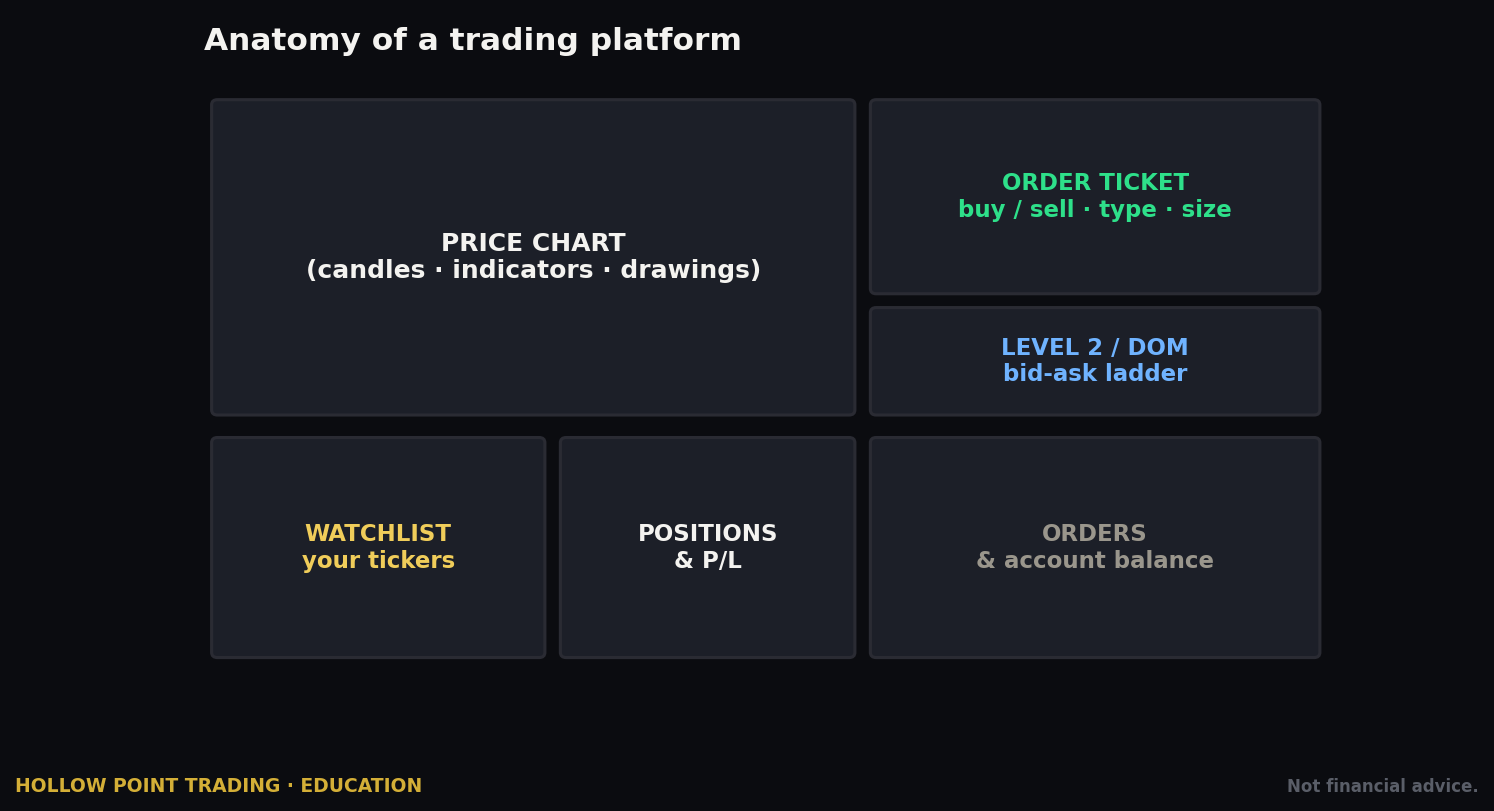
The core objects are the same everywhere: Watchlist (your tracked tickers), the Chart, the Quotes/Depth panel (Level 1 and, if you subscribe, Level 2), the Order ticket, and Orders/Positions (your working orders and open trades). Once you can find those five, you can operate any Webull surface, on any device, in any future redesign. Menus move; these five objects don't go anywhere. If a new version of the app disorients you, find those five and you're oriented again.
Placing Your First Stock Trade, Step by Step
Let's buy a share. We'll do it deliberately, because the habits you build on trade one are the habits you keep.
- Find the ticker. Use the search bar and type the symbol — say
AAPL. Open its detail page or add it to a watchlist and select it. The chart and quote load. - Read before you click. This is the Hollow Point step nobody puts in a broker tutorial. Look at the chart. Where's price relative to the EMA 12/22/55 stack? What's the structure — higher highs and higher lows, or lower highs and lower lows? Where's the level that invalidates a long? You place an order after you have a read, not before.
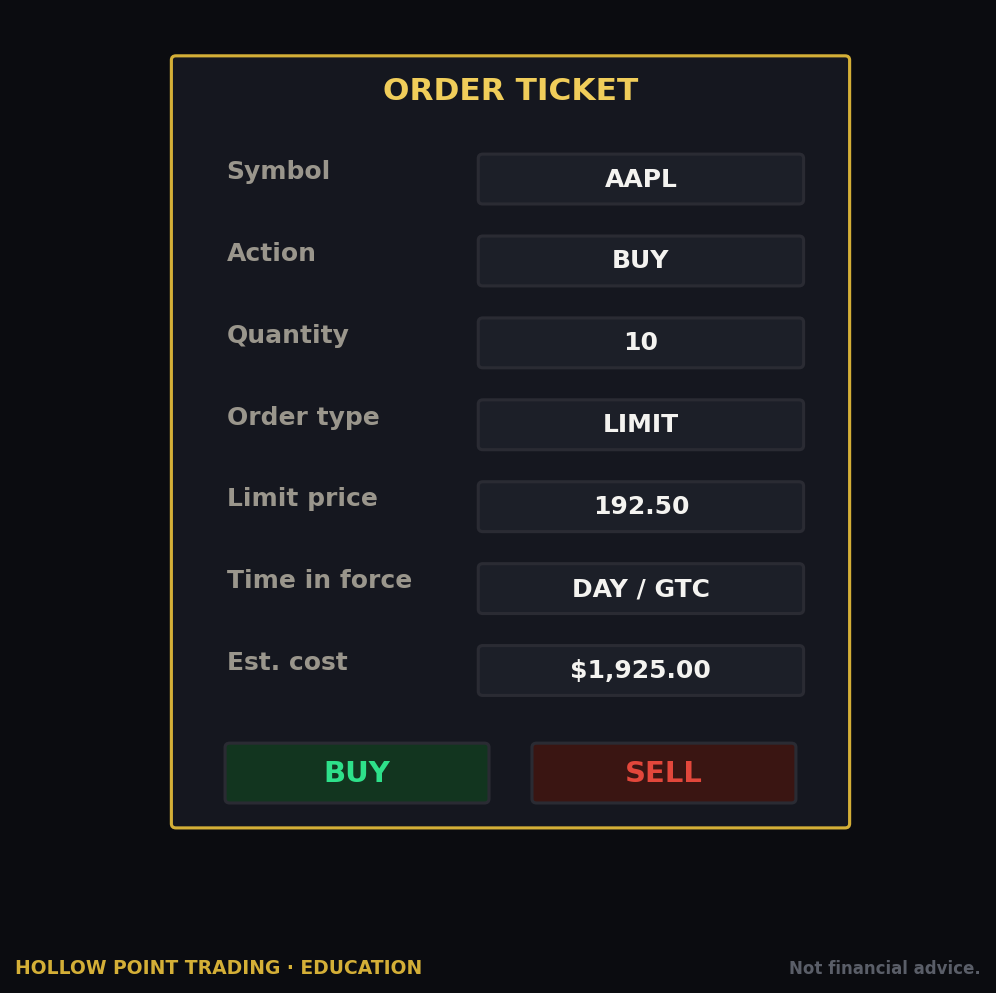
- Open the order ticket. Hit Trade (or Buy). The ticket appears with the current bid and ask.
- Set the side — Buy.
- Choose your order type. For a first trade, use a Limit order, not a Market order. A limit lets you name the maximum price you'll pay; a market order takes whatever's available and can fill worse than you expect on a fast or thin stock. Full menu of order types is in the next section.
- Enter quantity and price. Number of shares (Webull supports fractional shares, so you can buy in dollar amounts on eligible names), and your limit price. Set the limit at or slightly above the ask if you want a quick fill; set it below if you're willing to wait for your price.
- Set time-in-force — DAY (expires at the close) or GTC ("good till canceled," stays working across sessions until filled or you cancel). Note whether extended-hours trading is toggled on if you're trading pre-market or after-hours.
- Review and submit. Confirm the summary — symbol, side, quantity, price, type. Submit.
- Watch it work. The order moves to your Orders tab as "Working" until it fills, then the position shows in Positions with your average cost and live P&L.
- Set your exit before you need it. The moment you're filled, know your stop and your target. Webull lets you attach exits as a bracket (next section) — use it. A trade without a predefined stop isn't a trade, it's a hope.
A fully worked example, with numbers
Let's make it concrete. AAPL is trading with a bid of 231.40 and an ask of 231.48 — an 8-cent spread. You've done the read: on the daily, price is above a rising EMA 12/22/55 stack (bullish structure), it's making higher highs and higher lows, and it just pulled back to the 22-EMA around 230.80, which held. Your invalidation is a daily close below 229.50 — beneath the last higher low. Your target is the prior swing high near 238.00.
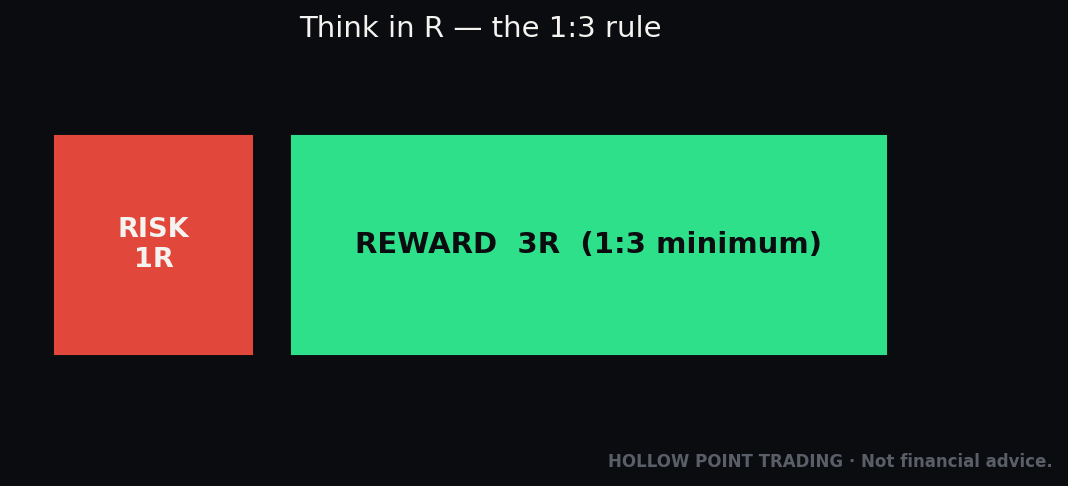
You want 100 shares. You set a limit buy at 231.50, two cents above the ask, because you want a quick fill without paying up into a market order. Cost basis if filled: $23,150. Your stop is at 229.40 (just under invalidation), risking $2.10 per share, or $210 of risk on 100 shares. Your target at 238.00 is $6.50 of reward per share, or $650. That's a reward-to-risk ratio of about 3.1:1 — it clears the Hollow Point 1:3 minimum, so the trade qualifies. You place it as an OTOCO (covered below) so the entry, stop, and target all go in as one ticket. Now you're not "watching AAPL" and hoping — you have a defined, pre-planned trade where the math already works before you're in it. That's the whole game: the mechanics take thirty seconds; the read takes as long as it takes.
How this changes across market regimes
The same ticket, the same stock, behaves very differently depending on the regime — and your order choices should flex with it.
In a clean trend, limit orders at or just inside the spread fill easily and you can be patient with entries on pullbacks to the moving averages. Stops can sit under structure and breathe.
In chop (a range), the danger is buying the top of the range on a market order and getting stopped at the bottom. Here you want limit orders at the edges — buy near range support, sell near range resistance — and you tighten targets, because a chop regime won't hand you a 3:1 runner; it hands you the range width, minus slippage. Many good traders simply stand down in chop.
In high volatility (think a CPI print, an earnings gap, or a fast-tape morning), spreads widen, fills get worse, and stop-market orders can slip badly. This is exactly when a stop-limit protects you from a catastrophic fill — and also exactly when a stop-limit can leave you unprotected if price gaps clean through your limit. There's no free lunch; you're choosing which risk you'd rather carry. High-vol regimes are where beginners' market orders get destroyed and where disciplined traders either size down hard or wait for the dust to settle.
Options: Getting Approved and Reading the Chain
Options are where Webull's tooling gets genuinely good — and where the approval gate is real.
Getting approved
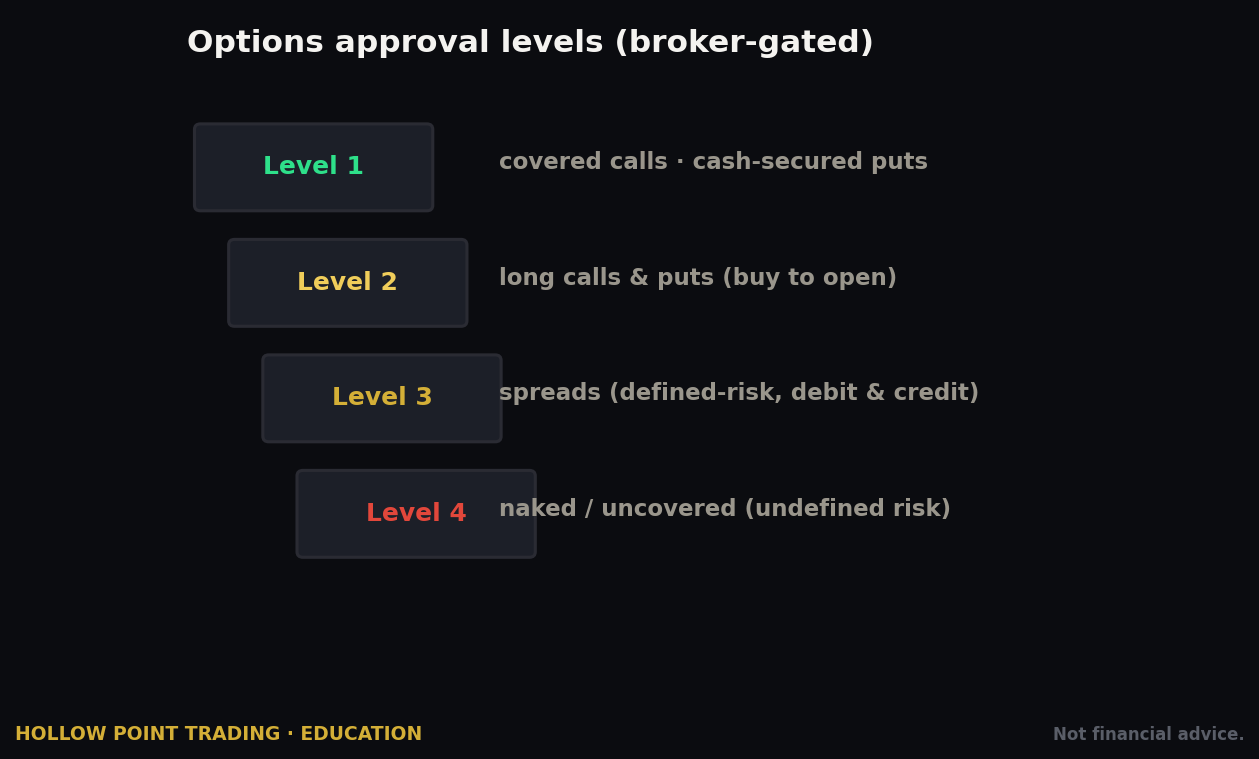
Webull tiers options access by level, gated on your stated experience, income, and net worth (the numbers you entered at signup — which is why that section mattered). Approximate ladder, current as of 2026:
- Level 1 — covered calls and cash-secured puts only. The conservative, "you already own the stock or the cash" strategies. New applicants with limited stated experience typically land here.
- Level 2 — long calls and long puts. Straightforward directional bets with defined, limited risk. Webull generally wants around a year of stated options experience and a reasonable net worth; not hard cutoffs, but that's the neighborhood.
- Level 3 — multi-leg / spread strategies: verticals, iron condors, butterflies, calendars, diagonals. This usually wants roughly two-plus years of stated experience and a margin account. Webull's Strategy Builder advertises 13 distinct strategies up through Level 3.
- Level 4 — the most permissive tier (uncovered/naked exposure), with the steepest requirements.
To apply, go to the account/options-settings area and request options access, or select the level when prompted on your first options order. Answer the experience questions accurately — inflating them to reach a level whose risk you don't understand is how accounts get blown up, not how they get profitable. If you're denied a level, you can build a track record and re-apply; a few months of clean activity and an honest re-application usually moves you up a rung.
Reading the chain
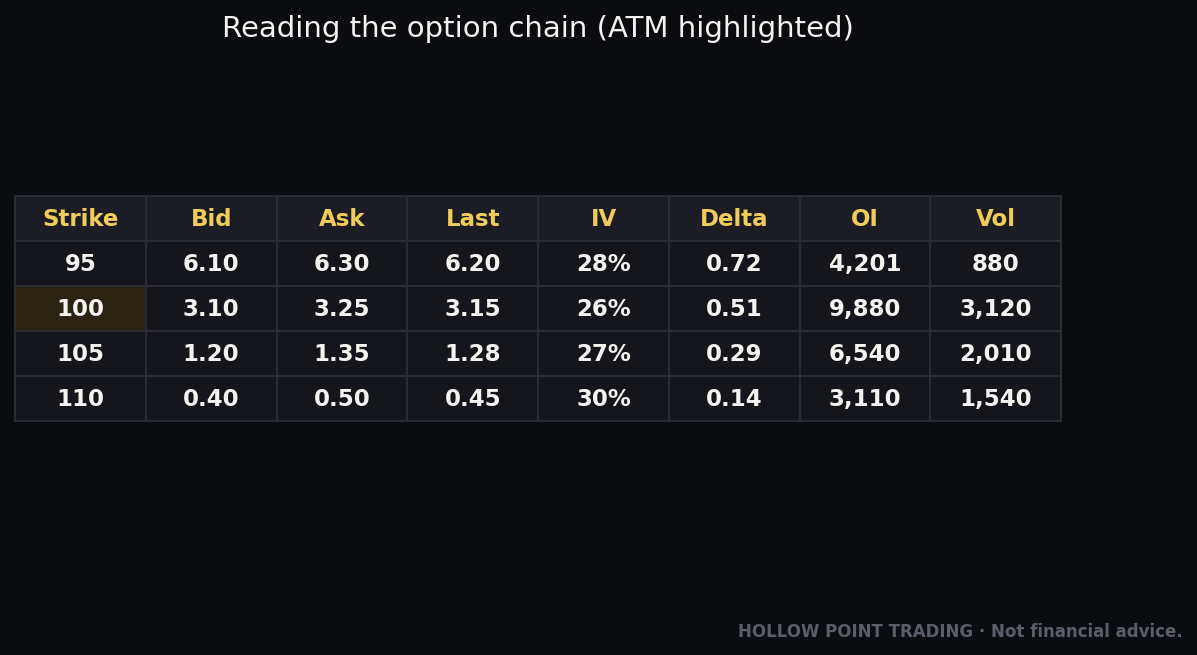
Open a ticker and select Options. The chain is a table: calls on one side, puts on the other, strike prices down the middle, organized by expiration date (pick the expiry at the top). Each row shows the market for that contract — bid and ask (what you can sell and buy at), last, volume (contracts traded today), and open interest (contracts currently outstanding; liquidity tells). Webull also surfaces the Greeks — delta (how much the option moves per $1 in the stock, and a rough proxy for probability of finishing in-the-money), gamma (how fast delta itself changes), theta (daily time decay), and vega (sensitivity to volatility) — plus implied volatility. You can toggle which columns show.
Reading the chain, worked
Say AAPL is at 231.50 and you're bullish into a two-week horizon. You pull up the chain for an expiry about 20 days out. The 235 call shows a bid of 3.10, an ask of 3.25, delta 0.42, theta -0.09, IV 28%, volume 4,200, open interest 11,500. Translate that: the contract costs about $325 to buy (mid-price ~3.17 × 100), it moves roughly 42 cents for every dollar AAPL moves (delta 0.42), it bleeds about $9 a day to time decay if nothing moves (theta -0.09 × 100), and the 15-cent bid/ask spread on healthy volume and 11,500 open interest tells you this contract is liquid — you can get in and out without eating a huge spread. Compare that to a far out-of-the-money weekly with a 0.60-wide spread and 40 open interest: same underlying, radically worse instrument. The chain shows you both, and the liquidity difference is the whole difference between a tradeable contract and a trap. Delta doubling as a rough probability read is a beginner's best friend: a 0.42 delta is loosely "about a 42% chance of finishing in the money," which frames the bet honestly.
The Strategy Builder
Two things Webull does better than most free apps: it puts options statistics and an order-flow view right there so you can see where the volume is concentrating, and the Options Strategy Builder lets you pick a strategy template — vertical, condor, straddle — and it auto-selects the remaining legs so you build a multi-leg order without manually assembling each contract. Say you want a bull call spread on AAPL: choose the vertical template, pick your long 235 call, and the builder proposes a short leg (say the 240 call) to complete the spread, shows you the net debit, the max gain, the max loss, and the breakeven, all before you send it. Tap a bid or ask to load a single contract into the options order ticket; from there it's the same buy/sell, limit/market, quantity, time-in-force flow as stock, priced per-contract (each standard contract controls 100 shares).
The Hollow Point note on options: the chain shows you price, not edge. Liquidity (tight bid/ask, real open interest), your directional read on the underlying, and defined risk come first. The prettiest chain in retail won't save a bad thesis.
The Order Ticket and Every Order Type
Webull's order engine is a real strength — the same ticket serves stocks, options, and futures, and it supports far more than market-and-limit. Here's the full menu.
Simple orders
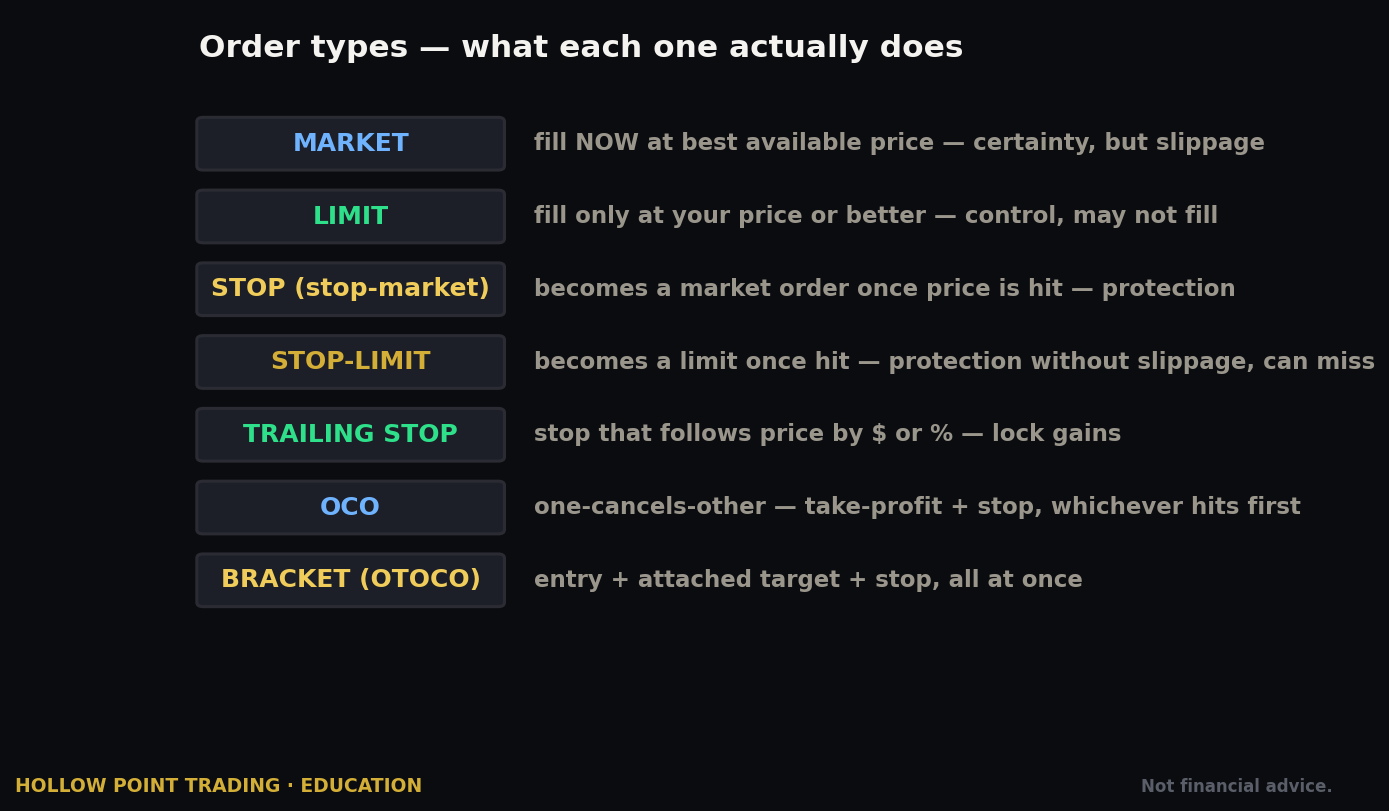
- Market — fills immediately at the best available price. Fast, but you don't control the price; dangerous on thin or fast-moving names.
- Limit — fills only at your specified price or better. You control price; you risk not filling.
- Stop (stop-market) — a resting trigger; when price hits your stop, it fires a market order. Used to cut losses or trigger entries on a breakout. Fills at market once triggered, so slippage is possible.
- Stop-Limit — when the stop triggers, it fires a limit order instead of a market order. You control the fill price, but if price gaps through your limit, you may not fill at all. The trade-off is price certainty versus fill certainty.
- Trailing Stop — a stop that follows price by a set amount or percentage, locking in gains as the trade moves your way and triggering if it reverses by your trail distance.
Group orders — the reason serious traders like Webull's ticket
- Bracket / Stop-Loss + Take-Profit — attach a stop and a target to an entry in one order. When you're filled, both exits go live; if either fills, it closes the position. This is how you enter a trade with your risk already defined — non-negotiable, in our book.
- OTO (One-Triggers-the-Other) — a primary order that, once filled, sends a second order.
- OCO (One-Cancels-the-Other) — two orders working at once; the fill of one cancels the other. Classic for "take profit here or stop out there."
- OTOCO (One-Triggers-a-One-Cancels-the-Other) — an entry that, on fill, launches a linked OCO pair of exits. Effectively a full trade plan — entry, stop, and target — in a single ticket.
Add time-in-force on top of all of it: DAY or GTC, plus an extended-hours toggle to trade pre-market and after-hours (with the usual wider-spread caveat that thin sessions carry).
A worked OTOCO example
Back to AAPL. You want to buy 100 shares only if it breaks above 232.00 (confirming the breakout), with a stop at 229.40 and a target at 238.00. You build one OTOCO ticket: the primary is a stop-limit buy triggered at 232.00 with a limit of 232.15 (so a fast pop doesn't fill you 40 cents high). The instant that fills, the OCO pair goes live — a sell limit at 238.00 (take-profit) and a sell stop at 229.40 (stop-loss). Whichever hits first closes the position and cancels the other. You've now defined the entire trade — the entry trigger, the maximum loss ($260 of risk), and the target ($600 of reward, a 2.3:1) — in a single order, and you can walk away from the screen. That's the difference between trading a plan and babysitting a hunch. The practical takeaway: on Webull you can define the entire trade before you're in it. If you're placing bare market orders and eyeballing exits, you're using a fraction of the tool and taking on all of the risk.
When each order type is the right tool
Match the order to the job. Use a limit for a planned entry at a level you've marked. Use a stop-market when getting out certainly matters more than getting out at a precise price — a losing trade you just need to be free of. Use a stop-limit when a bad fill would be worse than no fill — a gappy, illiquid name where a market stop could slip a dollar. Use a trailing stop to ride a trend hands-free once you're in profit and want to lock gains without capping upside. Use brackets/OTOCO as your default for any discretionary swing so risk is always pre-defined. The mistake isn't picking the "wrong" type; it's using market for everything because it's one tap.
Fees, Commissions, and the Payment-for-Order-Flow Reality
"Commission-free" is true and incomplete. Here's the honest ledger.
Commissions:
- US stocks and ETFs: $0 commission.
- Stock and ETF options: $0 commission and $0 per-contract fee. That's genuinely aggressive — many brokers still charge ~$0.65/contract. On a 10-contract trade, that's a $6.50 saving each way versus a per-contract broker; over a year of active options trading it's real money.
- Index options (cash-settled index products like SPX): $0.50 per contract.
- Large options orders: $0.10 per contract on any option order above 500 contracts, except index options. Irrelevant to most retail size; worth knowing if you trade big.
What still costs money, on every broker, including this one:
- Regulatory pass-through fees — small charges Webull collects and remits: the SEC fee and FINRA Trading Activity Fee (TAF) on sells, the Options Regulatory Fee (ORF) and OCC clearing fees on options. Fractions of a cent to a few cents; unavoidable industry-wide.
- Margin interest if you borrow (rates vary; a Premium subscription reduces them).
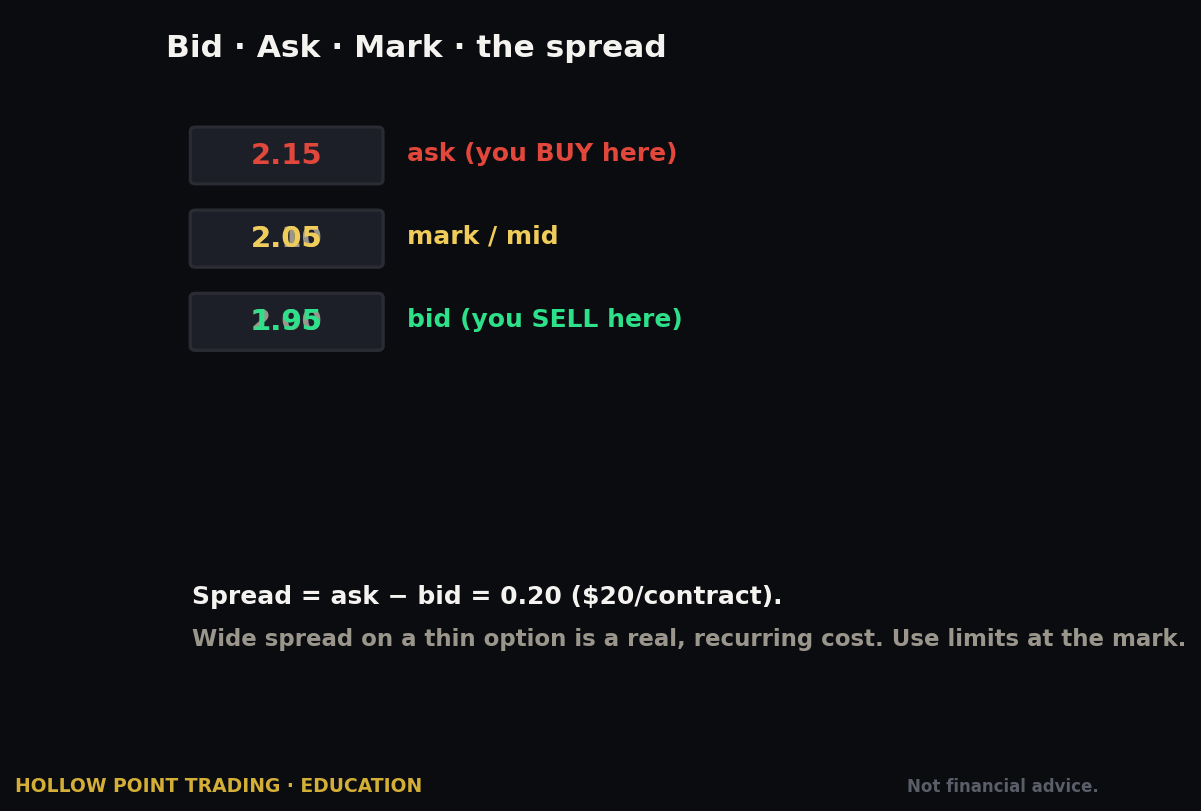
- The bid/ask spread — not a "fee," but a real cost, and the thinner the name the more it matters. On a stock with a 2-cent spread it's a rounding error; on a wide-spread name or a far OTM option with a 20-cent spread, it can dwarf every listed fee combined.
- $75 to transfer securities out (ACAT out). ACH deposits and withdrawals are free.
- Inactivity fee: as of July 2026, accounts inactive for more than 12 consecutive months incur a $5/month fee. Trade occasionally, or hold cash-management activity, and it never touches you — but it's new, so know it exists. Verify the current fee schedule; Webull changes these.
Payment for order flow — the part nobody markets
"Commission-free" is subsidized. Webull, like Robinhood and most zero-commission brokers, routes your orders to wholesale market makers who pay for that flow — payment for order flow (PFOF). In plain English: the broker gets paid to send your order to a firm that fills it, and that firm profits from the spread. It's legal and disclosed, and for most retail-size trades the price is fine — you'll often get a small amount of price improvement versus the quoted spread. But it means neither Webull nor Robinhood is optimizing purely for your best possible execution; the routing decision has the broker's revenue baked into it. This is not a reason to avoid Webull — it's a reason to use limit orders so you set the price rather than trusting a routed market order to find the best fill. Price discipline is your defense against an execution model you don't control. The practical rule: on a PFOF broker, a limit order isn't just about patience — it's about taking the price decision out of the router's hands and putting it in yours.
Margin, Account Types, and PDT on This Platform
This section changed materially in 2026, so read it fresh even if you already know Webull.
Account types
You'll pick from:
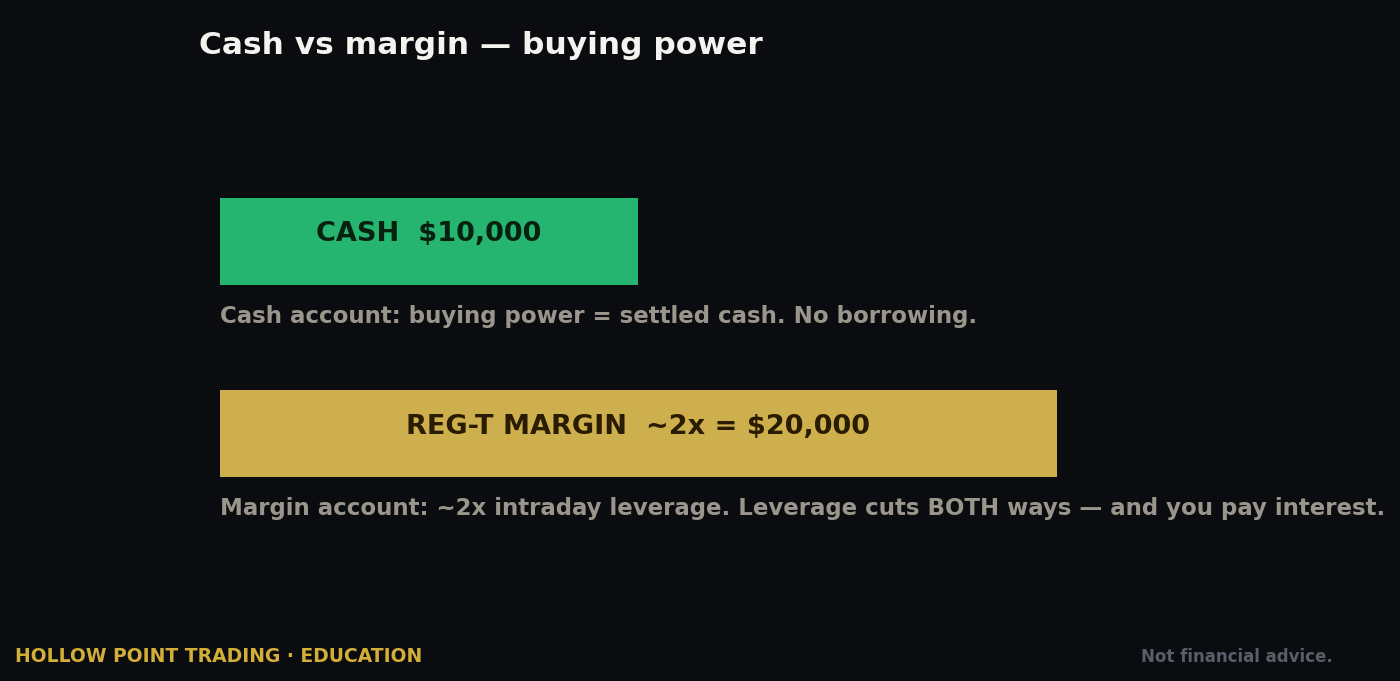
- Cash account — you trade with settled cash only, no borrowing. Simpler, no PDT exposure historically, but you wait for funds to settle between trades (stocks settle T+1 in the current regime; options too). Best for someone who wants zero leverage risk and doesn't churn positions intraday.
- Margin account — lets you borrow against your positions and, crucially, is the account built for active trading. Minimum $2,000 to actually use margin (the long-standing regulatory floor). Margin means leverage, which means amplified losses as readily as gains — respect it. It also gives you instant access to unsettled funds, so you're not sitting on your hands waiting for settlement between trades.
- IRA — traditional, Roth, or rollover retirement accounts, with their own contribution and options-approval nuances (no naked-short strategies, cash-secured only for puts, etc.).
The PDT change — this is the headline
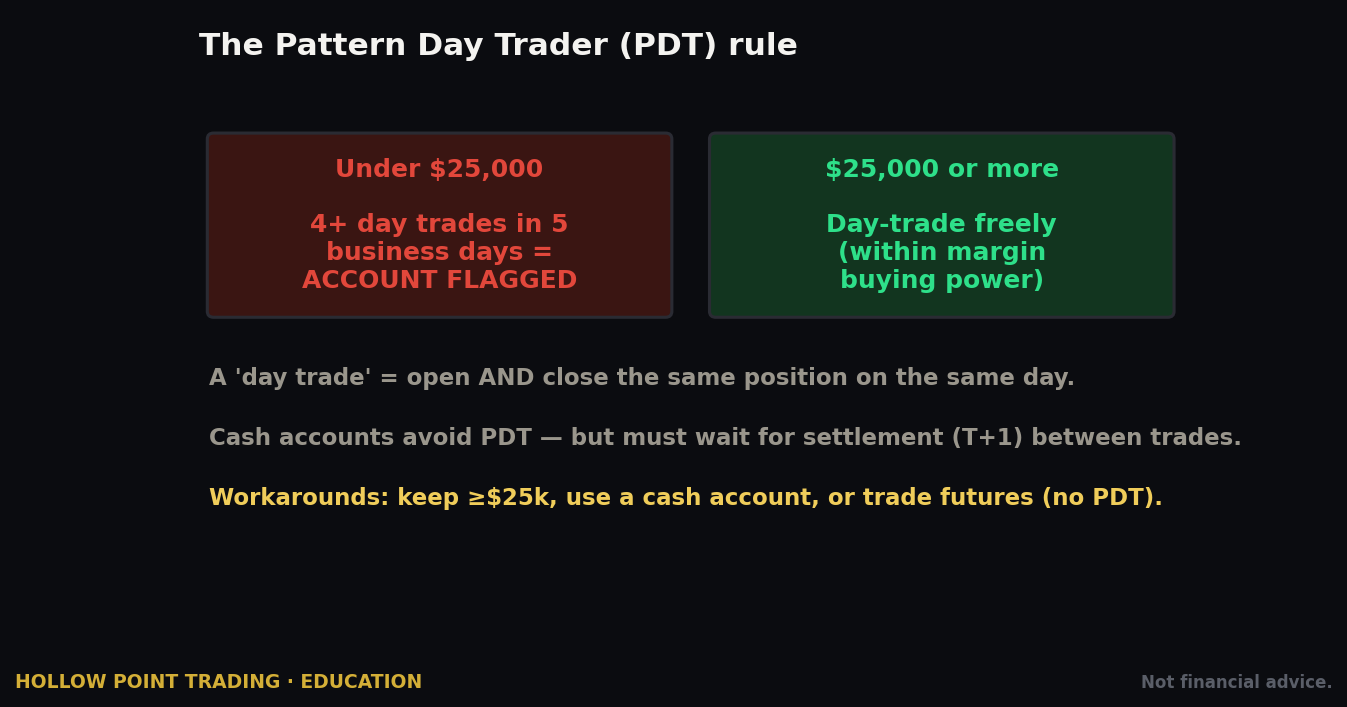
Historically, the Pattern Day Trader (PDT) rule flagged any margin account under $25,000 that placed four or more day trades in five business days and restricted it to three day trades per rolling five-day window. That rule was removed and replaced on June 4, 2026 with a new intraday, risk-based margin framework under amended FINRA Rule 4210. Webull adopted it day one.
What that means in practice on Webull:
- No more $25,000 minimum to day trade actively, and no more PDT flagging or three-trades-in-five-days counting.
- Your ability to day trade is now governed by real-time, risk-based margin — buying power tied to the volatility and risk of your positions rather than a flat account-size gate. The floor to access margin is the standard $2,000.
- You can place unlimited intraday trades as long as you stay within your margin requirements.
What risk-based margin means, worked
Under the old regime, a $6,000 account was simply capped at three day trades a week — blunt, size-based, and indifferent to what you actually traded. Under risk-based margin, the system instead asks how risky your positions are. Trade a calm, liquid large-cap and your buying power stretches further; load up on a volatile small-cap or a fast-moving option and the system demands more margin against it, shrinking your buying power in real time. The gate moved from "how big is your account" to "how risky is your book right now." For a disciplined trader this is strictly better — you're no longer punished for account size. For an undisciplined one it's more dangerous, because the brake that used to physically stop over-trading is gone, and a volatile position can eat your buying power and trigger a call faster than a flat rule ever would.
A few honest caveats. FINRA gave brokers up to 18 months (through October 20, 2027) to fully phase this in, so exact mechanics may keep evolving — verify Webull's current day-trading and margin terms on their PDT-info and margin pages before you lean on this. "No PDT" does not mean "no rules": a risk-based margin system can still restrict or margin-call you if your positions are volatile and your equity is thin. And removing a guardrail that capped how often under-$25K accounts could day trade is a double-edged gift — the rule that used to stop an over-trading beginner is gone. Discipline now has to come from you, not FINRA.
The Hollow Point stance here is unchanged: the removal of PDT is a tooling change, not a strategy change. Fewer trades, higher quality, 1:3 reward-to-risk minimum, confluence across timeframes. The market didn't get easier because the rule changed. It got easier to over-trade.
Strengths and Weaknesses vs. Peers
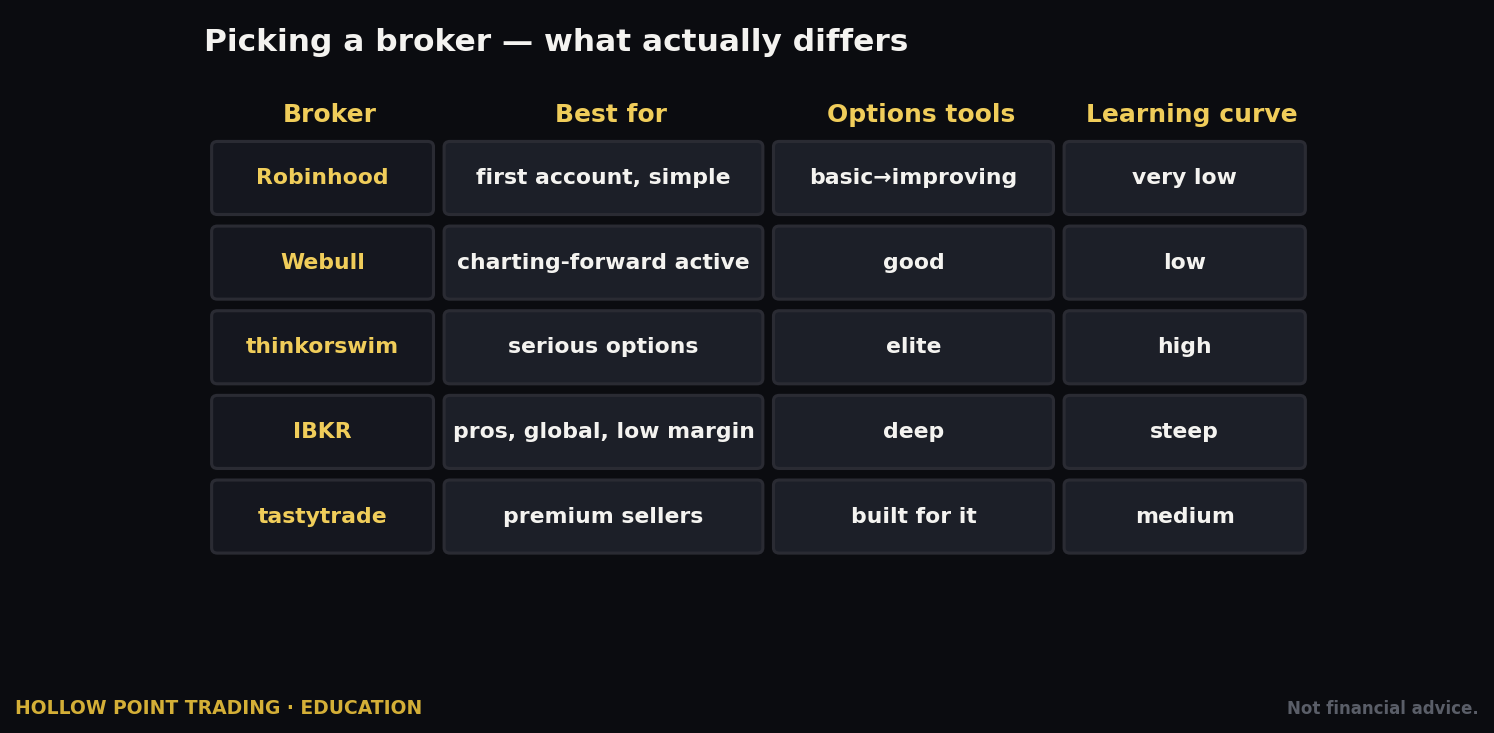
The relevant comparison for our audience is Webull vs. Robinhood, the two commission-free apps most new-ish active traders weigh.
Where Webull wins for a technical trader:
- Charting. Not close. Webull runs 55–60+ indicators, real drawing tools, multiple timeframes, and a replay/time-lapse mode. Robinhood's native charting is basic — line and candle with a handful of indicators. Robinhood has answered with Robinhood Legend, a desktop platform aimed at active users, but for depth and customization the edge is still Webull's.
- Depth and data. Webull surfaces Level 2 (Nasdaq TotalView), order-flow distribution, position-cost data, and options statistics — on desktop and phone. That's a workstation's worth of read on a retail app.
- Order types. Brackets, OTO, OCO, OTOCO, trailing stops — the full group-order toolkit for defining trades in advance.
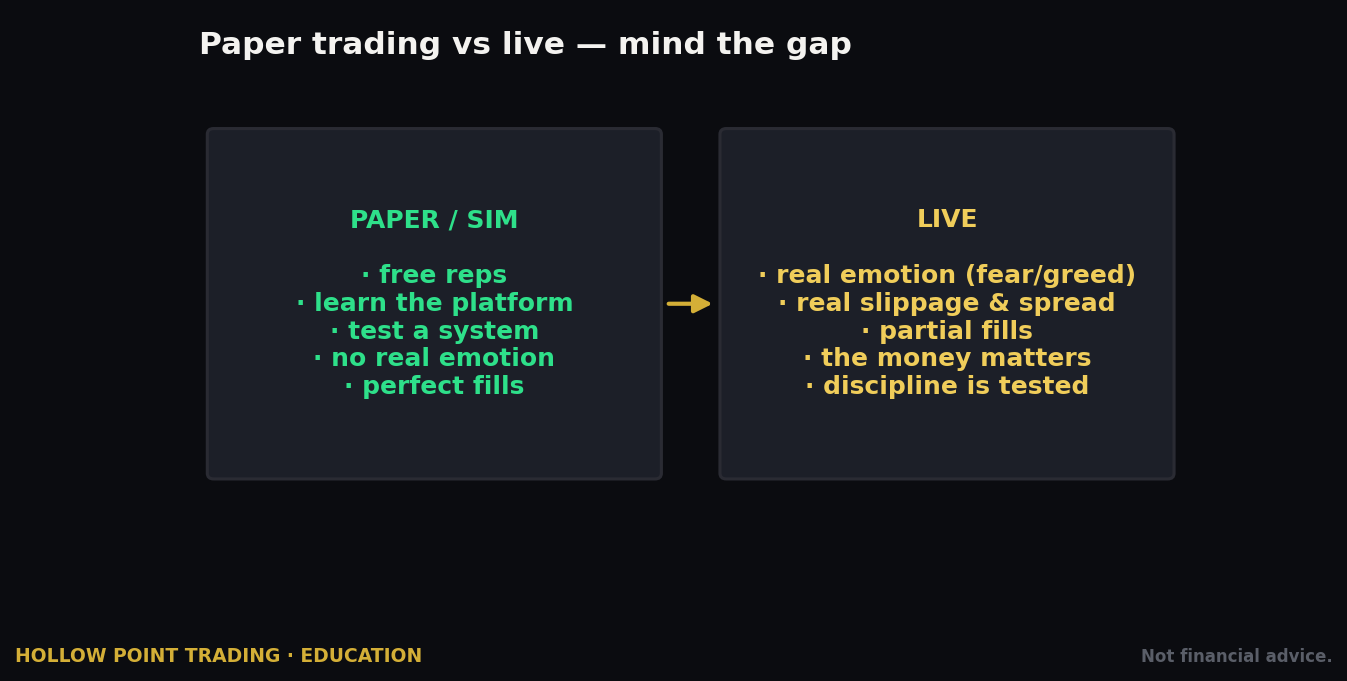
- Paper trading. Webull ships a built-in simulator with fake money, ranked #1 in the category in 2026 reviews. Robinhood has no comparable native paper-trading environment. For a new-ish trader, this alone can justify the choice — you can rehearse the entire workflow, risk-free, on live-ish data.
- Tradeable lineup. Webull adds futures, including micro futures (E-mini S&P, crude, gold, and more), which Robinhood's core equity/options focus doesn't match.
Where Robinhood wins:
- Simplicity. Robinhood's interface is cleaner and gentler for a true beginner or passive investor. Webull's density is a feature for us and a wall for someone who just wants to buy and hold.
- Ecosystem niceties — Robinhood's cash/credit-card and IRA-match products are polished, and its onboarding is famously frictionless.
Where they tie: both use payment for order flow, so neither is the execution-quality champion — use limit orders on either.
The honest bottom line: if technical analysis is your main event, Webull is the better home. If you want the simplest possible path to owning shares, Robinhood is friendlier. For a Hollow Point reader building a real, chart-driven process, Webull is the natural pick — with the standing caveat that no free app optimizes execution the way a premium routed broker does. And if you ever outgrow both — if you want native futures depth, a true API, or portfolio-margin — the next step up is a professional platform, not a fancier free app.
Level 2 (Nasdaq TotalView) — the Add-On Worth Understanding
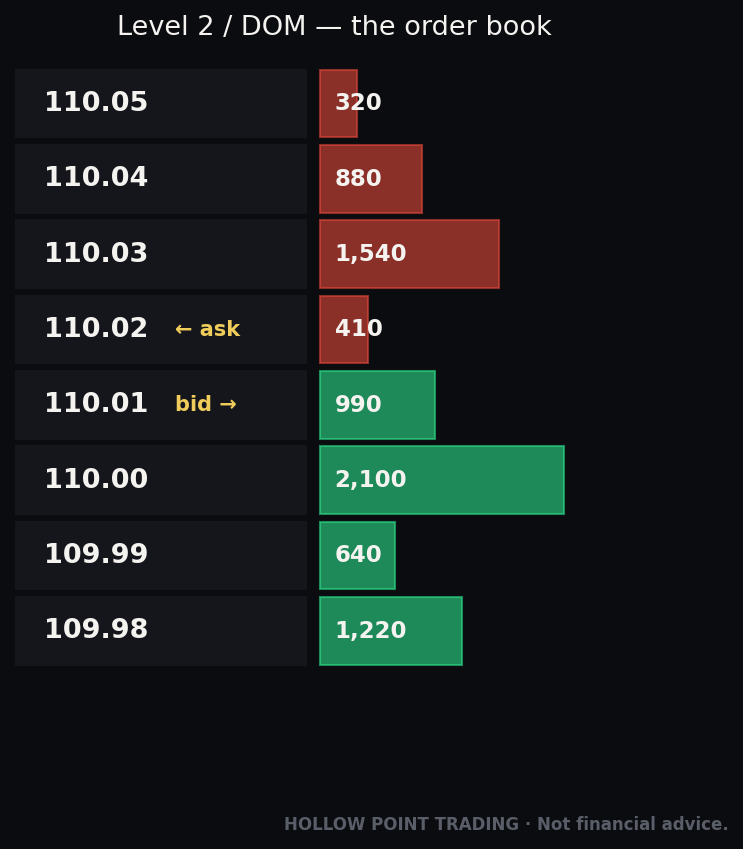
One specific feature deserves its own beat because active traders ask about it constantly. Level 2 market data — Webull sells it as Nasdaq TotalView — shows you the order book: not just the single best bid and ask (that's Level 1), but the depth of the book, up to the best 50 levels of bids and asks across Nasdaq, NYSE, and regional-listed stocks, with the prices and sizes of resting orders.
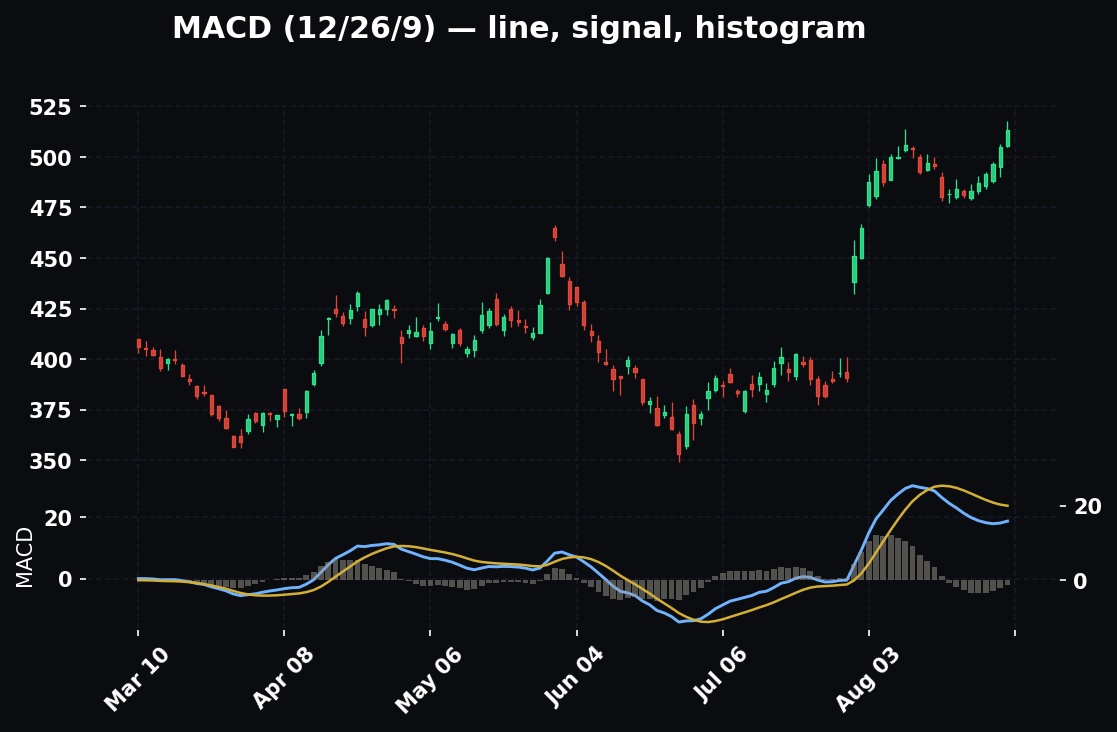
Why it matters: depth is where you see supply and demand stacking — large resting orders acting as short-term support or resistance, thinning books that warn of a fast move, and the push-pull at a key level that a candlestick alone won't show you. When 40,000 shares sit resting on the bid at 231.00 and the offers above are thin, that's a short-term floor you can see; when that bid suddenly pulls and the book thins, that's a warning the floor just vanished. Reading the ladder is a skill in itself — and it's the kind of edge that separates a scalper who front-runs a level from one who guesses at it.
Pricing (verify current rates): Webull typically offers new registrants a one-month complimentary TotalView subscription automatically. After that, you can subscribe to Nasdaq TotalView on its own for about $2.99/month (often with a first month free), or get it bundled into Webull Premium at roughly $3.99/month or $40/year, which also includes real-time OPRA options quotes, reduced margin rates, an IRA match boost, and higher cash APY.
The Hollow Point read: Level 2 is a genuine edge for a scalper or intraday trader reading order flow, and it's the single subscription most worth its money on Webull. For a swing trader working off the daily and the EMA 12/22/55, it's a nice-to-have, not a need. Buy the tool the job calls for — don't pay for depth-of-book if you're holding positions for days off a daily chart.
Building a Multi-Timeframe Read on Webull
A broker guide that stops at "here's the buy button" has done half the job. Webull's real value shows up when you use it to build a confluence read across timeframes, the way we actually trade — and its multi-chart desktop is purpose-built for exactly this.
The top-down ladder
Set up a linked multi-chart layout: pull the same ticker on, say, the daily, the 1-hour, and the 5-minute at once, all symbol-linked so one search updates all three. Then read from the top down. The daily sets the bias — is the EMA 12/22/55 stacked bullish and price making higher highs? That's your directional permission. The 1-hour is your setup timeframe — where is price relative to intraday structure, is it pulling into a moving average or a level? The 5-minute is your trigger — the candle pattern or break that actually gets you in. When all three agree — daily bullish, hourly pulling back into support, 5-minute printing a reversal candle off the 22-EMA — that's confluence, and it's a far higher-quality signal than any single chart. When they disagree — daily bullish but hourly rolling over into a lower high — you either stand down or size down. Webull's multi-chart desktop lets you see all three at once, which is the entire point of paying attention to the platform's power features.
Folding in two or three other tools
Confluence isn't just timeframes; it's independent tools agreeing. Three that pair naturally on Webull:
EMAs + volume. A breakout above a level on the 5-minute means little on thin volume and a lot on a volume spike. Webull's volume bars sit right under the chart — a break of 232.00 on 3x average volume is a different animal from the same break on a dying tape. Volume is the confirmation layer on top of the structure read.
Structure + Level 2. You've marked 231.00 as support on the chart. Level 2 tells you whether that level is real right now — is there size resting on the bid there, or is the book hollow? A charted level with a stacked bid behind it is a level worth trading; a charted level with nothing behind it is a line on a screen.
EMAs + RSI or MACD divergence. When price makes a new high but RSI makes a lower high (bearish divergence) into an EMA the daily says should hold, you've got two independent tools flagging the same caution. Webull runs both indicators natively — stack one momentum tool under the chart and let it argue with, or confirm, the structure. The read you trust is the one where independent tools point the same way; the read you fade is the one where they conflict.
The principle: no single indicator is edge. Confluence — timeframes agreeing, and independent tools agreeing — is edge. Webull's density is only useful if you point it at that.
How the Pros Use Webull Differently from Beginners
The same app, the same features, produce wildly different results depending on who's holding it. The gap is almost never about which secret indicator someone found. It's about how they use the tools everyone has.
Beginners collect features; pros build a process. A beginner turns on twelve indicators because they're free. A pro runs a clean chart — structure, EMA 12/22/55, one momentum tool, volume — and reads it the same way every day. The pro's edge is repeatability, not the number of studies on the screen.
Beginners originate on the phone; pros plan on the desktop. A pro uses the mobile app to manage pre-planned trades, not to spot new ones on a four-inch screen at a red light. Planning happens on the big screen with full context; the phone just executes and monitors the plan.
Beginners use market orders; pros use limit and group orders. A pro almost never fires a naked market order into a PFOF router. They set limits, they build OTOCO tickets with the stop and target attached, and they define risk before entry every single time. The bracket order isn't a nice-to-have to them; it's the default.
Beginners react to every stat; pros filter. Webull surfaces order-flow views, AI summaries, and options statistics constantly. A pro treats those as context, glances at them, and returns to the read. A beginner treats every alert as a signal and trades their own dopamine.
Beginners size by excitement; pros size by risk. A pro decides position size by working backward from the stop — "I'll risk $200 on this, my stop is $2 away, so I buy 100 shares" — not by how confident they feel. The risk defines the size. Confidence defines nothing.
Beginners think "no PDT" means trade more; pros trade less. The removal of the day-trade cap changed nothing about a pro's frequency. They took the good trades before the rule changed and they take the same good trades now. The rule was never what was stopping them.
Beginners skip the simulator; pros rehearse. A pro will run a new strategy or a new instrument in Webull's paper account first, mechanically, until the workflow is automatic — so that when real money is on the line, the only variable is the read, not the buttons. The gap between amateur and professional here is boring, and that's the point.
Common Beginner Mistakes on Webull Specifically
The platform's strengths create its own failure modes. These are the ones that show up over and over on this app.
- Indicator soup. Sixty-plus indicators are available, so beginners stack twelve of them and paralyze themselves. Pick a clean framework — structure, EMA 12/22/55, volume, one momentum tool — and read that. More indicators is not more edge; it's more conflicting signals and more reasons to freeze.
- Market orders on a PFOF broker. Because it's "free," people fire market orders and eat the spread. Use limit orders. You control price; the routing model doesn't get to.
- Treating "no PDT" as permission to over-trade. The removal of the $25K rule took away the guardrail that used to cap under-funded accounts. New traders read that as freedom and churn their accounts to death. It's the same discipline problem, now with the brakes removed.
- Misjudging options approval. People either under-state experience and get stuck at Level 1, or over-state it, reach a level whose risk they don't grasp, and blow up on a naked position. Answer honestly; grow into levels.
- Confusing paper trading P&L with real skill. The simulator is excellent — use it. But a simulator has no slippage on your emotions. Winning on paper is step one, not proof. The market takes a different toll when the money is real.
- Ignoring the $75 ACAT-out fee and the new inactivity fee. Small, but they surprise people. Know your exits before you fund, and if you plan to go dormant, know the 12-month inactivity clock exists.
- Trading extended hours without respecting the spread. Webull makes pre-market and after-hours one toggle away. Those sessions are thin, spreads are wide, and a market order there is a gift to the other side. If you must trade them, use tight limits and small size.
- Chasing every alert and stat the app surfaces. Order-flow views, AI summaries, options stats — great context, terrible master. Data serves the read; it doesn't replace it.
- Originating trades on the phone. The mobile app is for monitoring and managing, not for spotting setups on a tiny screen without higher-timeframe context. Plan on the desktop; babysit on mobile. Impulse entries almost always happen on the phone.
- No predefined stop. Webull hands you brackets and OTOCO for free, and beginners still enter with a market order and "I'll watch it." A trade without a stop set at entry is a position you'll rationalize holding all the way down. Attach the stop when you attach the entry, every time.
- Buying illiquid options because the chain looks pretty. A far OTM weekly with a 0.50 spread and 30 open interest will bleed you on entry, on exit, and on theta. Read volume and open interest before you fall in love with a strike. Liquidity first, thesis second, price third.
- Confusing account size for buying power under risk-based margin. Post-PDT, your buying power flexes with position risk in real time. Loading up on a volatile name can quietly consume your margin and trigger a call. Size to your risk, not to the big buying-power number the app flashes at you.
Frequently Asked Questions
Is Webull actually free? Stocks, ETFs, and stock/ETF options carry $0 commission and $0 per-contract fee. Index options are $0.50/contract, orders over 500 contracts are $0.10/contract, and regulatory pass-throughs, margin interest, the bid/ask spread, a $75 ACAT-out fee, and a $5/month inactivity fee (after 12 months dormant) still apply. "Free" is real for the core products and incomplete overall.
Do I need the desktop app, or is mobile enough? You can run an entire account from mobile, but you'll plan better on the desktop's multi-chart, multi-monitor layout. The standing model: desktop to plan and execute, mobile to monitor and manage.
Is Level 2 worth paying for? For an intraday trader or scalper reading order flow, yes — TotalView at roughly $2.99/month (or bundled in Premium around $3.99/month) is the single best-value subscription on the platform. For a swing trader working off the daily chart, it's optional. New users get a free month either way.
Did Webull really remove the PDT rule? The industry-wide $25,000 PDT rule was replaced on June 4, 2026 by a risk-based intraday margin framework under amended FINRA Rule 4210, and Webull adopted it. No more $25K minimum to day trade and no more three-trades-in-five-days counting — but a $2,000 margin floor and risk-based buying power still govern you, and brokers have until October 2027 to fully phase it in. Verify current terms before you rely on the specifics.
Can I transfer my existing brokerage account into Webull? Yes, via ACAT, and bringing positions in is generally free — it moves your holdings without selling and triggering taxes. Transferring out of Webull costs $75.
How do I get to a higher options level? Apply in the options-settings area or when placing an order. Approval keys off your stated experience, income, and net worth. If you're denied, build a track record and re-apply — a few months of clean activity usually moves you up.
What's the best first order type to learn? The limit order for entries, and the bracket/OTOCO for the full trade, so your entry, stop, and target go in together. Avoid defaulting to market orders on a PFOF broker.
Does Webull offer paper trading? Yes — a built-in simulator with fake money, top-ranked in 2026 reviews. Rehearse the whole workflow there before risking a dollar, especially on any new strategy or instrument.
Can I trade futures on Webull? Yes, including micro futures (E-mini S&P, crude, gold, and more) — a lineup Robinhood's core equity/options focus doesn't match.
Quick-Start Cheat-Sheet
- Open: app, web, or desktop — same login. Answer the suitability questions honestly and fully; they drive your margin and options approval.
- Fund: ACH (free), wire (bank fee), or ACAT in (free). Clear $2,000 if you want margin/day trading. $75 to transfer out. Newly deposited cash holds before it's fully withdrawable; a portion is usually tradeable fast.
- Surfaces: desktop = plan and execute (multi-chart, hotkeys, presets, replay). Web = anywhere. Mobile = monitor and manage. All sync. Find the five core objects — Watchlist, Chart, Quotes/Depth, Order ticket, Orders/Positions — and you can run any version.
- First trade: search ticker → read the chart → Trade → Limit order → quantity + price → DAY/GTC → review → submit → set your stop immediately.
- Sizing: work backward from the stop. Risk a fixed dollar amount, divide by your per-share stop distance, that's your share count. Risk sets size — not confidence.
- Fees: $0 stocks/ETFs, $0 stock-&-ETF options (no contract fee), $0.50/contract index options, $0.10/contract over 500 contracts. Regulatory pass-throughs and margin interest still apply. Both Webull and Robinhood use PFOF — trade with limits.
- Options: approval Levels 1–4 by stated experience/net worth. Chain = calls / strikes / puts by expiry, with Greeks and IV. Check volume and open interest for liquidity. Use the Strategy Builder for multi-leg.
- Order types: Market, Limit, Stop, Stop-Limit, Trailing Stop; group orders Bracket, OTO, OCO, OTOCO. Define entry, stop, and target in one ticket — OTOCO is the full plan in one order.
- Regime rules: trend = patient limits on pullbacks; chop = fade the edges or stand down; high-vol = size down, respect the spread, weigh stop-limit vs stop-market.
- Confluence: read top-down (daily bias → hourly setup → lower-timeframe trigger) and require independent tools to agree — structure + volume, structure + Level 2, EMAs + momentum divergence.
- PDT: the $25K rule was removed June 4, 2026 and replaced by risk-based intraday margin ($2,000 floor). No PDT flagging — and no external brake on over-trading. Verify current terms.
- Level 2: Nasdaq TotalView ~$2.99/mo solo or bundled in Premium (~$3.99/mo / $40/yr); new users get a free month. Real edge for intraday, optional for swing.
- Practice first: use the built-in paper trading simulator before you risk a dollar — and again before any new strategy.
- The standing caveat: Webull's UI changes constantly, and its 2026 fee and margin rules are new. Verify the current screen and the current fee schedule before you act.
The tools on Webull are as good as anything retail hands you for free. That's precisely why they demand discipline — a cockpit this capable will let you fly it straight into the ground if you don't respect the read. Macro to sector to stock. Structure and the EMA 12/22/55. 1:3 or you don't take it. Confluence, not conviction. The platform is just the seat. The trader is the edge.
Bound by rules, feared by trade.